Modern businesses rely on technology for everything from daily operations to long-term growth. Yet many organisations still manage IT reactively—responding to problems only after downtime, data loss, or security incidents occur.
This is where the benefits of managed IT services become clear. Instead of reacting to failures, businesses gain proactive system monitoring, stronger cybersecurity, and predictable IT costs that support sustainable growth.
This article explains how managed IT services work, why they matter in 2026, and how Australian businesses use them to operate securely and efficiently.
What Are Managed IT Services?
Managed IT services involve outsourcing the ongoing management of your IT environment to a dedicated provider. This includes system monitoring, maintenance, cybersecurity, backups, and strategic planning.
Rather than relying on ad-hoc fixes, businesses partner with specialists who deliver fully managed IT services that proactively prevent issues before they disrupt operations.
This model is especially valuable for organisations that depend on cloud systems, remote access, and always-on infrastructure.
Key Benefits of Managed IT Services
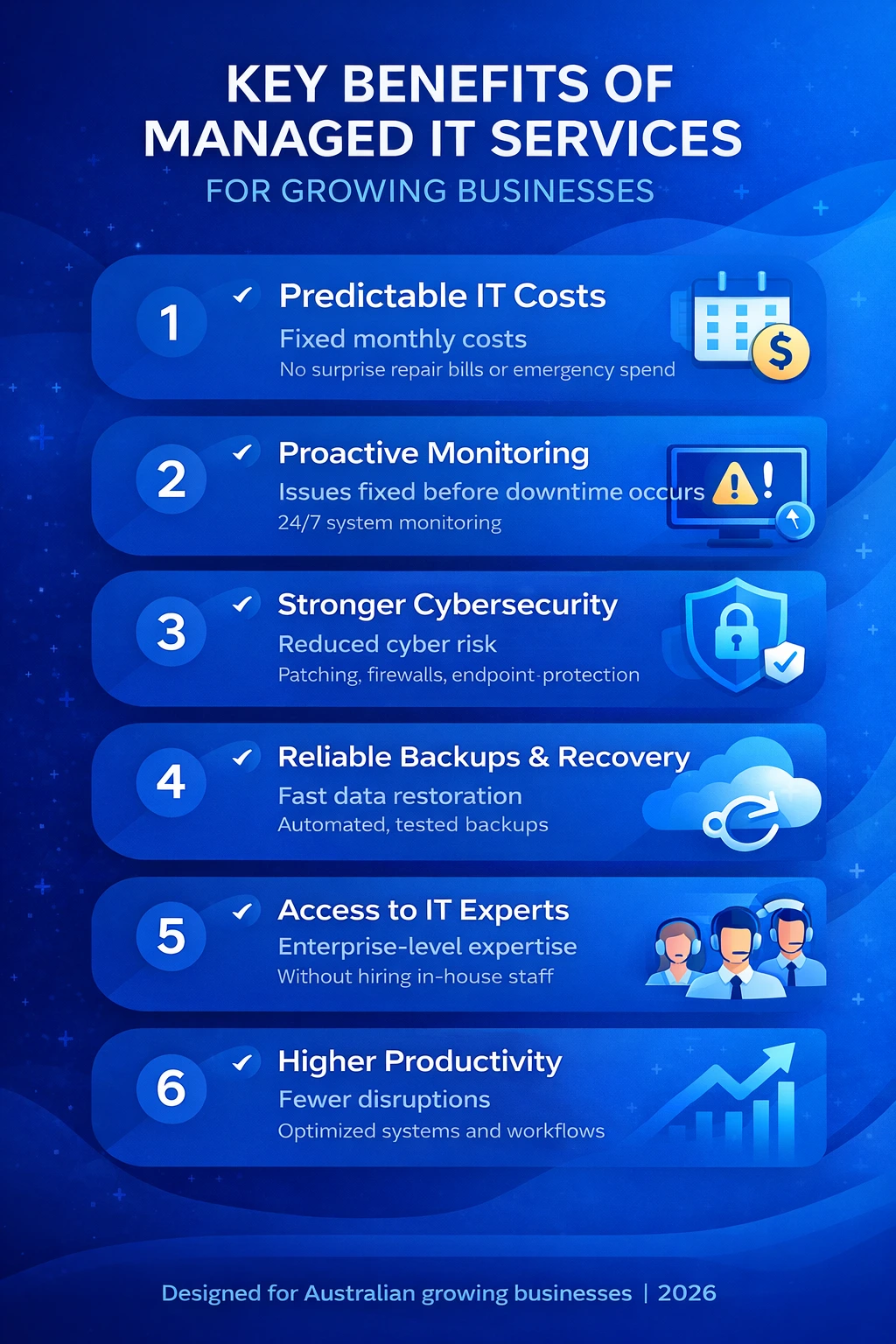
1. Predictable IT Costs and Better Financial Control
Break-fix IT creates financial uncertainty. A single system failure can result in unexpected and expensive repair bills.
Managed IT services replace this uncertainty with a fixed monthly cost, allowing businesses to plan budgets confidently while reducing emergency expenses.
2. Proactive Monitoring That Prevents Downtime
Most IT failures don’t happen suddenly. They develop quietly through performance degradation, hardware wear, or configuration issues.
With managed IT services, systems are continuously monitored so issues are identified and resolved early. This proactive approach keeps networks stable and employees productive.
3. Stronger Cybersecurity and Reduced Risk Exposure
Cyber threats are no longer limited to large enterprises. Australian small and mid-sized businesses are frequent targets for ransomware, phishing, and data breaches.
Managed IT services strengthen security through patch management, endpoint protection, access controls, and firewalls. Many providers align their security practices with guidance from the Australian Cyber Security Centre, which outlines essential strategies for reducing cyber risk.
Risk note: Managed IT significantly lowers exposure, but no system is completely immune. Regular reviews and staff awareness remain critical.
4. Reliable Backups and Faster Data Recovery
Data loss can halt operations instantly. Hardware failure, accidental deletion, or cyber incidents can wipe critical information.
Businesses using professionally managed cloud backup and disaster recovery solutions benefit from automated backups, off-site storage, and regularly tested recovery processes. This ensures faster restoration and minimal disruption.
5. Access to Experienced IT Specialists
Building an in-house IT team with expertise across networking, cybersecurity, and cloud infrastructure is costly and difficult to scale.
Managed IT services provide access to a full team of specialists without the overhead of hiring full-time staff, allowing businesses to benefit from enterprise-level expertise at a predictable cost.
6. Improved Productivity Across the Organisation
Slow systems, unstable connections, and recurring IT issues silently reduce productivity every day.
By continuously optimising infrastructure and resolving issues proactively, managed IT services create smoother workflows and fewer interruptions for employees.
7. Strategic IT Planning That Supports Growth
Managed IT services are not limited to technical support. They also provide strategic guidance that helps businesses plan for the future.
Through ongoing IT consultancy services, businesses can make informed decisions about cloud migration, infrastructure upgrades, cybersecurity investments, and technology roadmaps that align with long-term goals.
Managed IT Readiness Checklist
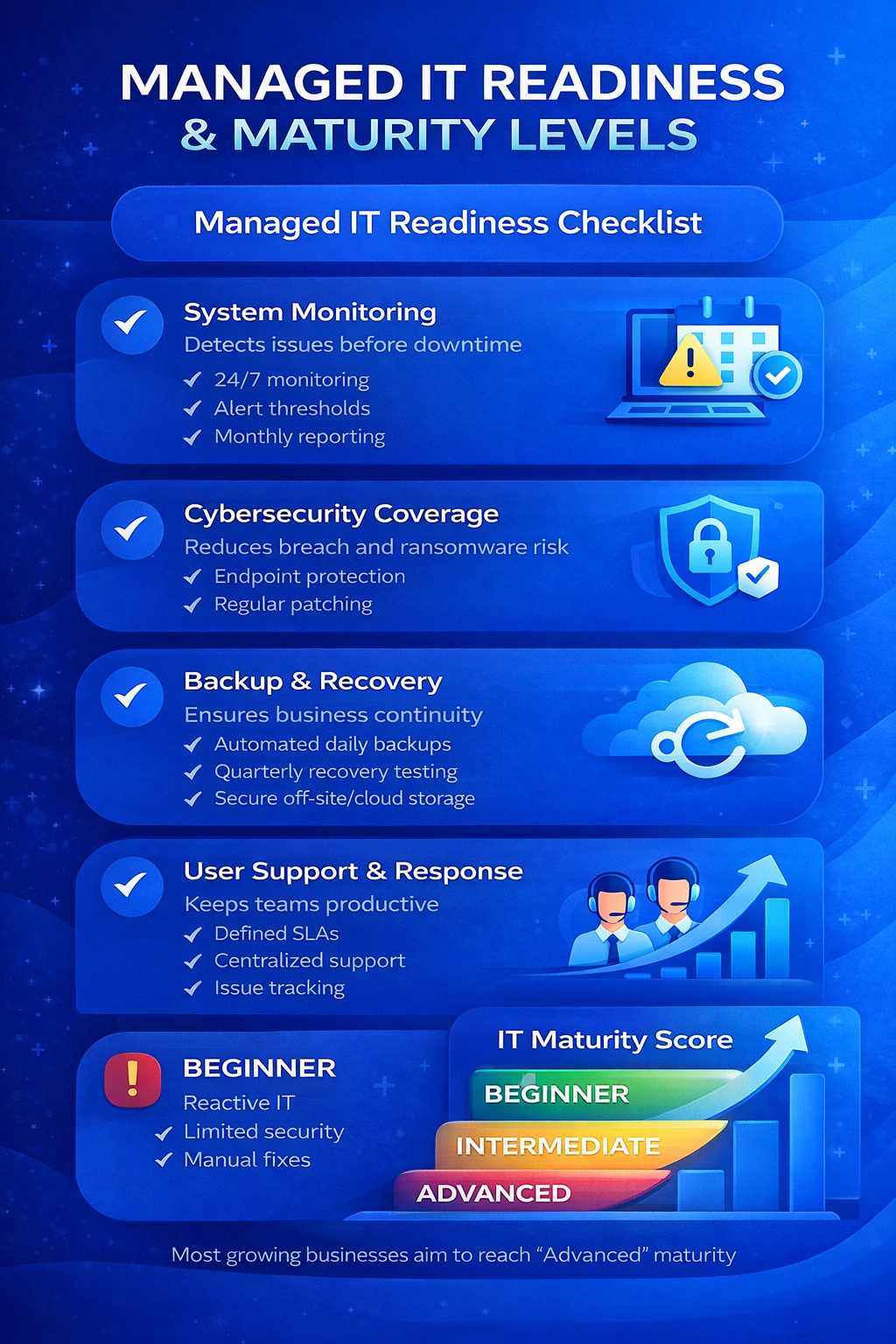
Use this checklist to assess your current IT maturity.
Key Controls
- System Monitoring
Why it matters: Detects issues before downtime occurs.
Actions:
- Enable 24/7 monitoring
- Define alert thresholds
- Review monthly reports
- Cybersecurity Coverage
Why it matters: Reduces breach and ransomware risk.
Actions:
- Deploy endpoint protection
- Apply regular patches
- Audit user access
- Backup and Recovery
Why it matters: Ensures business continuity.
Actions:
- Automate daily backups
- Test recovery quarterly
- Store backups securely off-site or in the cloud
- User Support and Response Time
Why it matters: Keeps teams productive.
Actions:
- Define response SLAs
- Centralise support requests
- Track recurring issues
IT Maturity Score Table
Level | Description |
Beginner | Reactive IT, limited security, manual fixes |
Intermediate | Basic monitoring, partial security, untested backups |
Advanced | Fully managed, proactive monitoring, tested recovery |
How to Use This Checklist
- Score your current IT environment honestly.
- Identify gaps that increase downtime or security risk.
- Prioritise improvements internally or with a managed IT provider.
Final Thoughts
The benefits of managed IT services extend beyond technical support. They create stability, strengthen security, and provide a strategic foundation for growth.
Businesses that treat IT as a proactive investment—not a reactive expense—are better positioned to compete and scale in 2026 and beyond.
FAQs: Benefits of Managed IT Services
Who benefits most from managed IT services?
Small and mid-sized businesses without dedicated IT teams.
Are managed IT services cost-effective?
Yes. They typically cost less than reactive IT support and in-house staffing.
Do managed IT services replace internal IT teams?
They can replace or complement internal resources.
Are managed IT services only for large companies?
No. Many providers specialise in SMEs and growing businesses.