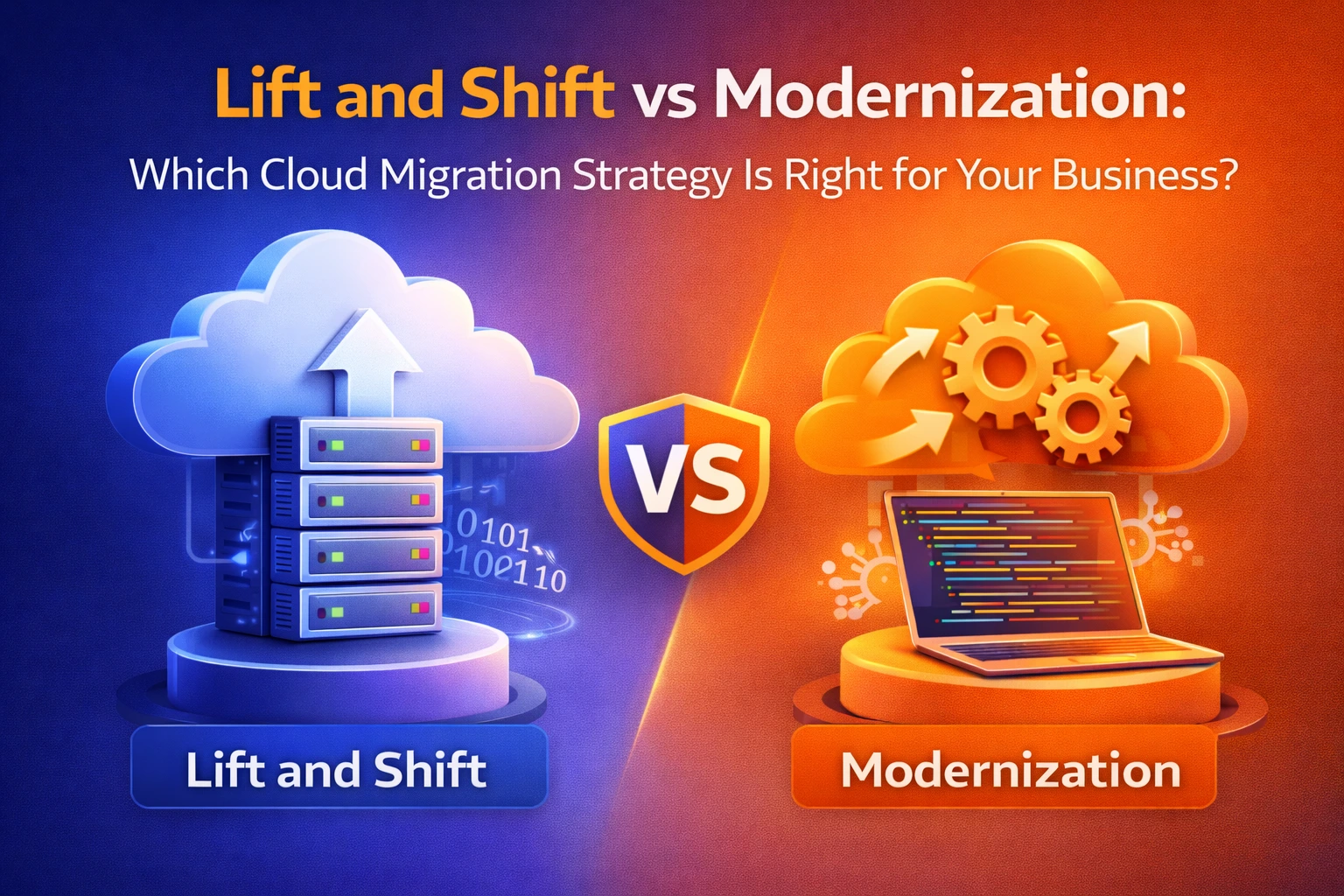
Every business moving to the cloud faces the same crossroads: do you move everything quickly as it is, or take the time to rebuild it properly? That decision — lift and shift vs modernization — is one of the most consequential choices in any cloud migration project. Get it wrong and you could be paying more, moving slower, or accumulating technical debt for years.
In this guide, we break down both strategies in plain language — what they mean, when to use each, what they cost, and how Australian SMBs can make the smartest choice for 2026 and beyond. Whether you’re planning your first cloud migration or reconsidering a previous approach, this article gives you the full picture.
Looking for expert guidance tailored to your business? Explore our cloud migration services or read our broader guide on what cloud migration actually involves.
What Is Lift and Shift (Rehosting)?
Lift and shift — also called rehosting — is the process of moving your existing applications, servers, and data from on-premises infrastructure to the cloud without making any significant changes to how they work. Think of it as picking up your entire IT environment and putting it in a cloud data centre instead.
The name says it all: you lift your workloads off physical servers and shift them to virtual cloud infrastructure — same code, same databases, same configuration. The only thing that changes is where everything lives.
What Gets Moved in a Lift and Shift Migration?
- Virtual Machines (VMs): VMware, Hyper-V, or physical servers moved to cloud instances like AWS EC2 or Azure Virtual Machines
- Databases: SQL Server, Oracle, or MySQL rehosted on cloud-based virtual servers while maintaining existing schemas
- Middleware and Storage: Web servers, file shares, and application stacks transferred as integrated “waves”
- Network Configurations: Firewall rules, VLANs, and routing logic replicated in the cloud environment
The appeal is straightforward: it’s fast, relatively low-risk, and gets you out of the data centre quickly. However, as we’ll discuss, it doesn’t automatically deliver the transformational benefits most businesses expect from cloud adoption. For a deeper look at what makes a cloud strategy work, see our article on cloud migration benefits.
What Is Cloud Modernization?
Cloud modernization goes further. Instead of simply rehosting your existing environment, modernization involves re-architecting, refactoring, or rebuilding applications to take full advantage of cloud-native capabilities — things like auto-scaling, managed services, serverless computing, containers, and microservices.
Modernization is not a single action. It’s a spectrum of approaches that range from minor tweaks to full re-builds, often referred to as the “6 Rs” of cloud migration:
Strategy | What It Means | Modernization Level |
Rehost (Lift & Shift) | Move as-is to the cloud | None |
Replatform | Minor tweaks for cloud efficiency (“Lift, Shift & Tweak”) | Low |
Repurchase | Switch to a SaaS alternative (e.g., move to Microsoft 365) | Low–Medium |
Refactor / Re-architect | Redesign app to use cloud-native services | High |
Rebuild | Rewrite the application from scratch in the cloud | Very High |
Retire | Decommission the application entirely | N/A |
For most Australian businesses, cloud modernization is not an all-or-nothing decision. It’s a journey. You may start with a lift and shift to vacate an ageing data centre, then progressively modernise workloads once you’re in the cloud. Read more about the foundational concepts in our guide on what the cloud actually is.
Lift and Shift vs Modernization: A Side-by-Side Comparison
Factor | Lift and Shift | Modernization |
Migration Speed | Fast (weeks to months) | Slower (months to years) |
Upfront Cost | Lower | Higher |
Long-term Cloud Cost | Often higher (inefficient) | Lower (optimised) |
Technical Risk | Low | Medium to High |
Business Disruption | Minimal | Can be significant |
Cloud-Native Benefits | Minimal | Full |
Technical Debt | Migrated intact | Reduced or eliminated |
Scalability | Limited (same as on-prem) | Elastic and dynamic |
AI/Automation Ready | No | Yes |
Security Posture | Depends on original config | Improved with cloud-native tools |
Ideal For | Apps nearing end-of-life; fast data centre exits | Mission-critical, high-growth, revenue-generating apps |
The True Cost of Lift and Shift: What Most Businesses Miss
On the surface, lift and shift looks cheap. There’s no redevelopment work, no lengthy re-architecture project, and your team doesn’t need to learn a new tech stack. But the hidden costs often catch businesses off guard.
1. You Pay for Idle Capacity
On-premises, servers run 24/7 whether you’re using them or not — and most workloads sit at 15–30% utilisation. When you replicate that same pattern in the cloud, you pay premium hourly rates for resources that are sitting idle. On-prem, this was a sunk capital cost. In the cloud, it becomes a recurring operational expense — and it adds up fast.
2. Technical Debt Follows You
Lift and shift doesn’t fix bad architecture. Monolithic applications that were slow and hard to update on-premises become slow and hard to update in the cloud. The same bottlenecks, the same dependencies, the same scaling limitations — all of it migrates with the application.
3. You Miss Out on Cloud-Native Efficiency
Cloud platforms like Microsoft Azure and AWS offer powerful managed services — auto-scaling, serverless functions, managed databases, intelligent caching — that can dramatically reduce both cost and operational overhead. A lift and shift workload doesn’t benefit from any of these. This is why our guide on cloud migration challenges highlights proper planning as essential to realising ROI.
4. Vendor Lock-In Risks
Without cloud-native architecture, you can find yourself trapped in a specific cloud provider’s VM ecosystem without the portability that containers and Kubernetes provide. That makes future migrations more expensive and complex.
5. Security Gaps Persist
Legacy on-premises configurations often include outdated security practices — flat network structures, weak access controls, misconfigured services. Moving to the cloud doesn’t automatically fix these. You need proactive security hardening as part of any migration. Our team at CodeHyper always pairs cloud migrations with a security review to ensure compliance and protection from day one.
The Case for Cloud Modernization: Why It’s Worth the Investment
Cloud modernization is more complex and expensive upfront — but for most growing businesses, the long-term return on investment is significantly higher. Here’s why.
Elastic Scalability
Cloud-native applications are built to scale automatically. Whether you’re handling a traffic spike or growing your user base, containers and microservices allow individual components to scale independently — without paying for headroom you may never use.
Reduced Operational Overhead
Managed services like Azure SQL Database, AWS RDS, or Google Cloud Spanner handle patching, backups, replication, and failover automatically. Your IT team spends less time firefighting infrastructure and more time on innovation.
AI and Automation Readiness
By 2026, AI integration is no longer optional for competitive businesses. Cloud-native architectures provide the foundation — scalable compute, structured APIs, data pipelines — that enables businesses to adopt tools like Microsoft Copilot and advanced analytics. A lift and shift environment simply cannot support these capabilities without significant rework.
Improved Security and Compliance
Modern cloud architectures support zero-trust security models, identity-based access controls, and automated compliance monitoring. Tools like Microsoft Entra ID integrate natively with cloud-native applications, providing far stronger security than legacy configurations carried over from on-premises environments.
Long-Term Cost Optimisation
While the upfront investment in modernization is higher, cloud-native workloads typically deliver lower total cost of ownership (TCO) over a 3–5 year horizon. Right-sizing, auto-scaling, and serverless patterns eliminate the waste that makes lift and shift expensive to run.
When to Choose Lift and Shift
Lift and shift isn’t always the wrong choice. In fact, for certain scenarios, it’s the most sensible approach:
- Data Centre Exit Deadline: If your lease is expiring or your hardware is at end-of-life, you need speed. Lift and shift gets you out fast while you plan a proper modernisation roadmap.
- Applications Nearing Retirement: If you’re planning to decommission or replace a system within 12–24 months, investing in modernisation makes no financial sense.
- Stable, Low-Change Workloads: Some back-office systems rarely change and don’t need to scale. For these, a simple rehost may be perfectly adequate.
- Limited Budget or Expertise: If your team lacks cloud-native development skills and your budget is constrained, starting with lift and shift while upskilling is a pragmatic approach.
- As a Stepping Stone: Many enterprises use lift and shift as the first phase of a broader transformation — move fast, stabilise, then modernise systematically from within the cloud.
If you’re in this situation and need to move quickly, our cloud migration services can design a phased approach that balances speed with future readiness.
When to Choose Modernization
Modernization is the right path when the application or workload has a future and that future demands performance, agility, and scale:
- Mission-Critical Revenue-Generating Applications: Your CRM, e-commerce platform, or customer portal drives business value. These warrant the investment.
- High-Growth Businesses: If your user base is growing or demand is unpredictable, elastic cloud-native architectures protect you from performance failures and over-provisioning.
- Frequent Development and Releases: Modernised architectures support DevOps, CI/CD pipelines, and rapid iteration — giving your team the ability to ship features faster.
- AI and Analytics Ambitions: If you plan to use machine learning, real-time analytics, or AI-powered features, you need a cloud-native foundation to support them.
- Compliance Requirements: Regulated industries like finance and healthcare benefit from cloud-native security and audit capabilities that are difficult to retrofit onto rehosted workloads.
The Hybrid Approach: Modernize What Matters, Rehost the Rest
In practice, most successful cloud migrations in 2026 use a blended strategy. The logic is simple: not every workload deserves the same level of investment.
A practical framework is to segment your application portfolio into three buckets:
- Modernize: Core business applications that are actively developed, customer-facing, or tied to revenue. These receive full re-architecture investment.
- Replatform: Workloads that would benefit from minor cloud optimisations — like moving to a managed database service — without a full rebuild.
- Rehost or Retire: Legacy systems nearing end-of-life, stable back-office tools, or applications being replaced within 24 months.
This tiered approach lets you move at speed without making expensive modernisation investments where they won’t deliver returns. Our managed IT services team helps businesses design these migration roadmaps every day — prioritising workloads, managing risk, and ensuring every dollar invested in the cloud delivers measurable business value.
Lift and Shift vs Modernization: The Decision Framework
Use this framework to guide your decision for each application in your portfolio:
Question | → Lean Lift & Shift | → Lean Modernize |
Is this app being retired in <2 years? | Yes | No |
Does this app change frequently? | No | Yes |
Is this customer-facing or revenue-critical? | No | Yes |
Do you need elastic scaling? | No | Yes |
Is time-to-cloud the #1 priority? | Yes | No |
Do you plan to use AI/ML with this app? | No | Yes |
Is technical debt already causing pain? | No | Yes |
Common Pitfalls to Avoid
Treating Lift and Shift as a Long-Term Strategy
Too many businesses move to the cloud via lift and shift and then never modernise. Operations continue as normal, cloud bills rise, and the business loses its competitive edge. If you choose lift and shift, plan your modernisation roadmap before you start.
Modernising Everything at Once
Big-bang modernisation projects are high risk and frequently run over budget. The most successful strategies take an incremental approach — modernise one domain at a time, validate the results, and expand. Our guide on proactive IT support vs reactive IT explains why planning ahead always outperforms crisis-driven decisions.
Skipping the Cloud Security Assessment
Whether you lift and shift or modernise, moving to the cloud creates a new threat surface. Without a proper cloud security assessment, you risk misconfigured storage buckets, over-privileged identities, and compliance gaps — all of which are common after cloud migrations.
Ignoring Backup and Disaster Recovery
Cloud migration is not the same as cloud backup. Many businesses assume their cloud provider handles everything. In reality, you remain responsible for your own data protection. Read our article on cloud backup strategy to understand what a robust data protection plan looks like post-migration.
What the Australian Business Context Means for Your Decision
Australian businesses — particularly SMBs in Sydney and across NSW — face a specific set of considerations when choosing between lift and shift vs modernization. The 2025 cyber threat landscape for Australian SMBs highlights that local organisations are increasingly targeted precisely because they often operate legacy on-premises infrastructure with limited security maturity.
The Australian Signals Directorate’s Essential Eight framework, combined with the recent NSW Cyber Security Act 2024, puts compliance obligations firmly on businesses to uplift their security posture. Cloud modernization, done correctly, aligns naturally with both frameworks by enabling zero-trust access, automated patching, and continuous monitoring.
Additionally, Windows 10 reaches end of life in October 2025. Businesses still running Windows 10 endpoints alongside on-premises workloads face a compounding risk. This is precisely the scenario where a phased cloud migration — starting with a strategic lift and shift, followed by modernisation — makes the most business sense. See our Windows 10 end-of-life checklist for practical next steps.
Ready to Define Your Cloud Migration Strategy?
Choosing between lift and shift vs modernization isn’t a one-size-fits-all decision — it depends on your applications, your budget, your timeline, and your growth ambitions. The best outcomes come from a thoughtful assessment before any code is touched or any server is moved.
At CodeHyper, we help Sydney and Australian businesses plan and execute cloud migrations that are fast, secure, and built for the future. Whether you need a rapid data centre exit or a full cloud-native transformation, we design strategies that match your goals — not just industry templates.
Get in touch with our team today for a no-obligation cloud migration assessment. Visit our cloud migration services page to learn more, or contact us directly to start the conversation.
Frequently Asked Questions: Lift and Shift vs Modernization
What is the main difference between lift and shift and cloud modernization?
Lift and shift (rehosting) moves your existing applications to the cloud without changes, while cloud modernization involves re-architecting, refactoring, or rebuilding applications to take advantage of cloud-native capabilities. Lift and shift is faster and lower-risk, while modernization delivers greater long-term performance, scalability, and cost efficiency.
Is lift and shift cheaper than modernization?
Lift and shift has a lower upfront cost, but it often results in higher ongoing cloud bills because workloads aren’t optimised for the cloud. Modernization costs more initially but typically delivers lower total cost of ownership over 3–5 years through right-sizing, auto-scaling, and managed services.
Can you do lift and shift first and modernize later?
Yes, and this is a common strategy. Many businesses use lift and shift to exit a data centre quickly, then modernise applications incrementally once they’re in the cloud. The key is to have a clear modernisation roadmap in place before you start — otherwise, “modernise later” rarely happens.
What is replatforming in cloud migration?
Replatforming (sometimes called “lift, shift, and tweak”) sits between lift and shift and full modernization. It involves making minor optimisations to take advantage of cloud efficiencies — such as migrating a database to a managed cloud service — without redesigning the entire application.
How long does a lift and shift migration take?
A lift and shift migration can take anywhere from a few weeks to several months depending on the size and complexity of your environment. Smaller SMB environments can often be migrated in 4–8 weeks, while larger enterprise environments with hundreds of servers may take 6–12 months.
What are the biggest risks of lift and shift cloud migration?
The main risks include migrating technical debt into the cloud, higher-than-expected ongoing cloud costs, security misconfigurations carried over from on-premises, and missing out on the transformational benefits of cloud-native architecture. A proper pre-migration assessment significantly reduces these risks.
When should you choose cloud modernization over lift and shift?
You should prioritise modernization for mission-critical, customer-facing, or revenue-generating applications that need to scale, evolve frequently, or integrate with AI and automation tools. If an application will be retired within 24 months or rarely changes, lift and shift is usually sufficient.
Does cloud modernization improve cybersecurity?
Yes. Cloud-native architectures support zero-trust security models, identity-based access controls, automated patching, and continuous monitoring — all of which significantly improve your security posture compared to legacy configurations carried over in a lift and shift. Pairing your migration with a cloud security assessment is strongly recommended.
How does cloud modernization relate to the Essential Eight?
Australia’s Essential Eight cybersecurity framework requires capabilities like application control, patch management, and multi-factor authentication. Cloud-native environments make implementing all eight controls significantly easier, as managed cloud services have many of these capabilities built in — something lift and shift environments require additional work to achieve.
How do I get started with cloud migration for my Sydney business?
The best first step is an application portfolio assessment — cataloguing your workloads, understanding their dependencies, and mapping each one to the right migration strategy. Our team at CodeHyper specialises in exactly this for Australian SMBs. Contact us today to book a free consultation.