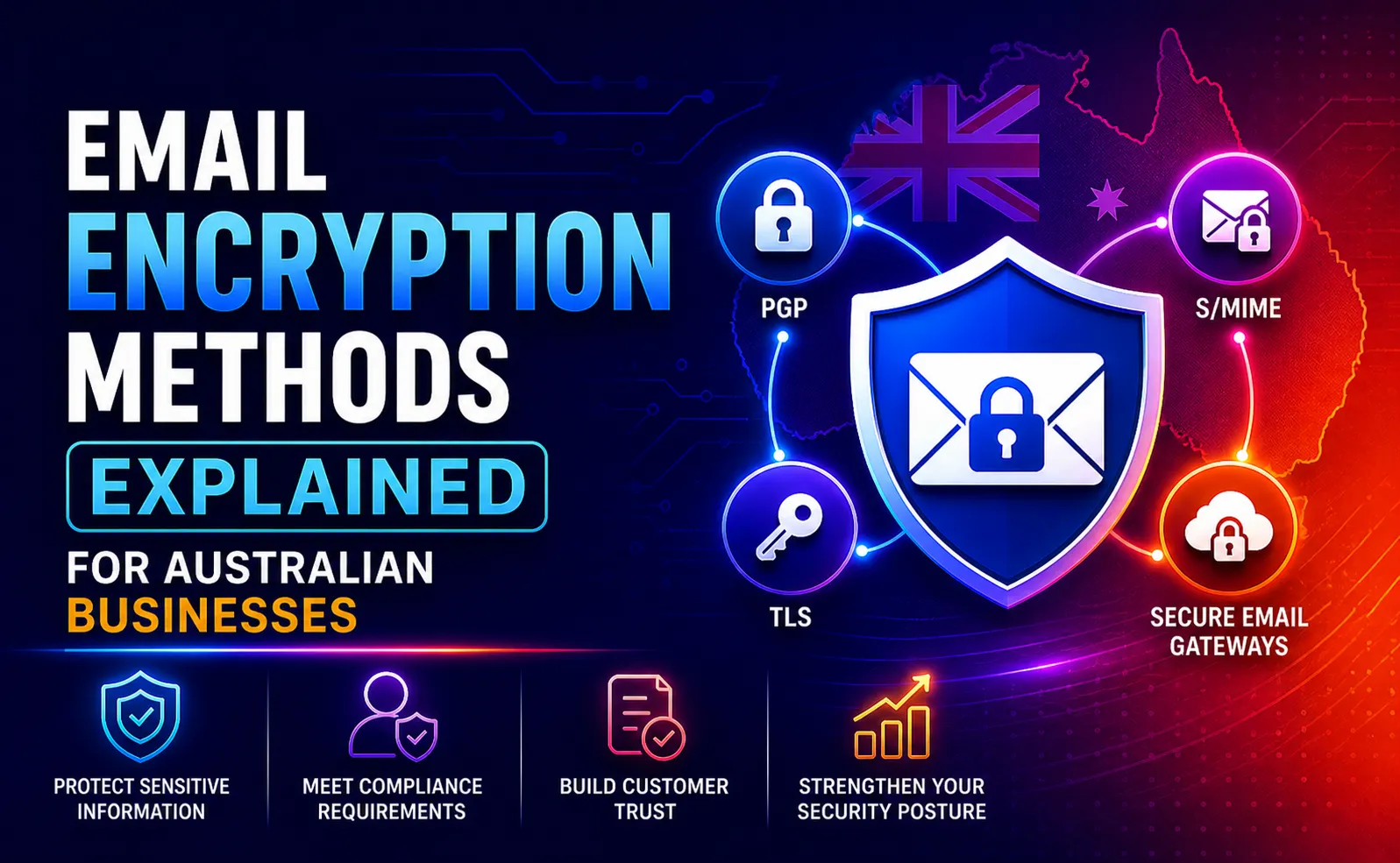
⚡ Quick Answer: The 5 Email Encryption Methods The five main email encryption methods are: (1) TLS (Transport Layer Security) – encrypts email in transit between mail servers. Automatic and invisible. The baseline standard. (2) S/MIME – encrypts the email message itself using digital certificates. Requires certificates for both sender and recipient. Built into Microsoft Outlook. (3) PGP/OpenPGP – encrypts email content using public/private key pairs. Very strong but complex to manage at scale. (4) Microsoft 365 Message Encryption (OME) – cloud-based encryption managed through Microsoft Purview. No certificate management required. Best for most Australian SMBs. (5) End-to-End Encryption (E2EE) – encrypts email so only sender and recipient can read it, with no access by the provider. Requires both parties to use compatible systems. |
✍️ About This Guide Written by the email security team at CodeHyper, a Sydney-based managed IT and cybersecurity provider. Our team implements email encryption for Australian businesses across healthcare, legal, financial services, and professional services using Microsoft 365 Message Encryption, S/MIME certificates, and Microsoft Purview Information Protection. This guide is based on real deployment experience and reflects the current Microsoft 365 encryption capabilities as of 2026. Compliance references are sourced from the OAIC’s guidance on APP 11 and the ASD’s Annual Cyber Threat Report 2023–24. |
Every day, your business sends emails containing information that your clients, suppliers, and competitors would pay dearly to intercept. Contracts. Financial figures. Health records. Legal advice. Employee data. HR decisions. These are not hypothetical risks – Australia’s Notifiable Data Breaches scheme received 483 eligible breach reports in just one six-month period, and email was the most common vector for the initial access that led to those breaches.
Email was not designed with security in mind. When the original protocols were built in the 1970s and 1980s, email travelled between servers in plain text – readable by anyone who intercepted it, like a postcard rather than a sealed letter. The email encryption methods developed since then add the envelope that the original design was missing. But there are multiple methods, each with different capabilities, limitations, and implementation requirements – and most Australian businesses either don’t know which one they have, or assume they are protected when they aren’t.
This guide explains all five email encryption methods in plain English – what each one protects, how it works, when to use it, and which tools implement it in Microsoft 365. It covers what neither Sydney competitor explains: the foundational cryptography, the Australian compliance implications, a sector-by-sector guide, and a real case study from a Sydney healthcare provider. For immediate implementation support, explore our email security guidance or our managed cybersecurity services.
The Foundation: How Email Encryption Works
Before comparing specific email encryption methods, it is worth understanding the two cryptographic mechanisms that underpin all of them. Every email encryption method uses one or both of these approaches.
Symmetric Encryption – One Key for Everything
Symmetric encryption uses the same key to both encrypt and decrypt a message. It is fast and computationally efficient – used to encrypt the actual email content in most protocols. The challenge is key distribution: how do you securely share the encryption key with the recipient without the key itself being intercepted? This is why symmetric encryption is rarely used alone for email.
The most widely used symmetric cipher in email encryption is AES-256 (Advanced Encryption Standard with 256-bit keys) – the same standard used by governments and financial institutions globally to protect classified data. A brute-force attack on AES-256 would take longer than the age of the universe on current hardware.
Asymmetric Encryption – Public and Private Key Pairs
Asymmetric encryption solves the key distribution problem by using two mathematically linked keys: a public key and a private key. The public key is shared openly – anyone can use it to encrypt a message. Only the holder of the corresponding private key can decrypt it.
Analogy: Think of the public key as a padlock you give to anyone who wants to send you a secure message. They put their message in a box, click your padlock shut, and send it. Only you have the key that opens your padlock. Even the person who locked the box cannot open it again.
Asymmetric encryption is used for key exchange and digital signatures in most email encryption methods – the asymmetric mechanism securely delivers the symmetric key that is then used to encrypt the actual email content. This hybrid approach combines the security of asymmetric key exchange with the speed of symmetric content encryption.
�� In-Transit vs At-Rest Encryption – A Critical Distinction Both Competitors Miss In-transit encryption protects email while it is travelling between mail servers across the internet. TLS is the standard in-transit encryption protocol. Without it, your email can be read by anyone intercepting network traffic between servers. At-rest encryption protects email stored on servers or in mailboxes – email that has been delivered but is sitting in a mailbox at rest. AES-256 encryption of the mailbox storage protects against data theft from a compromised server. These are separate protections addressing different attack scenarios. You need both. TLS alone does not protect email stored in a compromised mailbox. At-rest encryption alone does not protect email intercepted mid-transmission. |
The 5 Email Encryption Methods Every Australian Business Should Know
Method 1: TLS – Transport Layer Security

What it is: TLS is the standard protocol for encrypting email in transit between mail servers. When your Microsoft 365 mailbox sends an email to a recipient’s mail server, TLS creates an encrypted tunnel for that transmission – preventing interception while the email travels across the internet.
How it works: TLS uses asymmetric encryption to negotiate a session key between the sending and receiving server, then encrypts the email transmission using that session key. The process is automatic and invisible – neither sender nor recipient needs to do anything.
What it protects against: interception of email in transit between mail servers – a ‘man-in-the-middle’ attack where an attacker intercepts communications between two servers. TLS is the baseline standard and is enabled by default in Microsoft 365, Google Workspace, and all modern mail services.
Critical limitation: TLS only protects email while it is moving between servers. Once delivered to a mailbox, TLS provides no protection. If a mailbox is compromised, the email content is fully readable. TLS also does not protect against a scenario where the receiving mail server does not support TLS – in which case email may fall back to unencrypted transmission
MTA-STS (Mail Transfer Agent Strict Transport Security): A 2026-relevant addition – MTA-STS is a DNS-based policy that tells sending mail servers to always use TLS when connecting to your domain and reject the connection if TLS is unavailable. This prevents the TLS downgrade attack where an attacker forces email to transmit unencrypted. Australian Government guidelines now encourage MTA-STS for all organisations handling sensitive data
Microsoft 365 implementation: TLS is enabled by default for all Exchange Online connections. MTA-STS can be configured via DNS records and Microsoft’s documentation – our email security gateway overview explains the full configuration
Method 2: S/MIME – Secure/Multipurpose Internet Mail Extensions

What it is: S/MIME is an email encryption standard that encrypts the email message content itself – not just the transmission channel. An S/MIME-encrypted email is protected from the moment it leaves the sender’s mail client to the moment the recipient decrypts it, regardless of which mail servers it passes through. S/MIME also provides digital signatures – cryptographic proof that an email was sent by the claimed sender and was not modified in transit
How it works: S/MIME uses digital certificates issued by trusted Certificate Authorities (CAs). Each user has a certificate containing their public key. To send an encrypted email, the sender uses the recipient’s public key to encrypt the message. The recipient decrypts it with their private key. For digital signatures, the process is reversed: the sender signs with their private key; the recipient verifies with the sender’s public key
What it protects against: interception at any point in the email journey – including at mail servers, by malicious administrators, or through compromised cloud infrastructure. Also protects against email tampering and provides non-repudiation (the sender cannot deny sending the email)
Critical limitation: both sender and recipient must have valid digital certificates from compatible Certificate Authorities. Certificate procurement and management adds administrative overhead. S/MIME certificates typically cost $50–$200 per user per year and require annual renewal. Sending encrypted email to recipients without S/MIME certificates falls back to unencrypted delivery. Certificate revocation must be managed when employees leave
Microsoft 365 implementation: S/MIME is natively supported in Microsoft Outlook (desktop and web). Certificate deployment can be managed through Microsoft Intune for enrolled devices. Not available in all Microsoft 365 licence tiers – requires specific configuration in Exchange Online and Outlook client
Method 3: PGP and OpenPGP – Pretty Good Privacy
What it is: PGP (Pretty Good Privacy) and its open-source implementation OpenPGP are end-to-end email encryption protocols using public/private key pairs managed by the user rather than Certificate Authorities. PGP provides strong encryption and digital signatures, with the key distinction that trust is managed through a ‘web of trust’ model rather than centralised CA infrastructure
How it works: Each user generates their own public/private key pair. Public keys are shared through key servers or directly. To send encrypted email, the sender encrypts with the recipient’s public key. The recipient decrypts with their private key. No central authority is required – trust is established through direct key exchange or through other users who have verified a key’s authenticity (the web of trust)
What it protects against: the same threats as S/MIME – interception at any point in the email journey, content tampering, and sender impersonation. PGP provides mathematically equivalent security to S/MIME with different key management mechanics
Critical limitation: PGP is significantly more complex to manage than S/MIME or Microsoft 365 OME. Key generation, distribution, and revocation are manual processes. There is no central authority to recover a lost private key – if a user loses their private key, all emails encrypted to that key are permanently unreadable. PGP is poorly integrated with Microsoft Outlook without third-party plugins, and is essentially unusable for most non-technical staff without dedicated tooling
When to use: PGP is most practical for organisations communicating with external partners who already use PGP, for developers and technical teams comfortable with key management, and for scenarios requiring maximum independence from centralised PKI infrastructure. For general Australian SMB use, Microsoft 365 OME provides similar security with dramatically lower management overhead
Method 4: Microsoft 365 Message Encryption (OME) and Microsoft Purview
What it is: Microsoft 365 Message Encryption (OME) – now part of Microsoft Purview Information Protection – is Microsoft’s cloud-based email encryption solution built into Microsoft 365. It encrypts email content and attachments, controls what recipients can do with encrypted messages (forward, print, reply), and delivers encryption without requiring recipients to manage certificates or keys
How it works: OME wraps encrypted email content in a secure envelope delivered via Microsoft’s infrastructure. External recipients – those without Microsoft 365 accounts – receive a notification email with a link to a secure web portal where they authenticate (via Microsoft Account, Google, or a one-time passcode) and read the decrypted message. Microsoft 365 recipients receive the decrypted content transparently. The sender can apply Rights Management policies that prevent forwarding, downloading, or printing of sensitive messages
What it protects against: unauthorised access to email content both in transit and at rest, accidental forwarding of sensitive information to unintended recipients, and data leakage through policy-controlled rights management
What makes it the best choice for most Australian SMBs:
- No certificate management: recipients do not need digital certificates – authentication is handled by Microsoft’s identity infrastructure
- Works with any recipient: external recipients outside Microsoft 365 can still receive and read encrypted messages through the secure portal
- Policy-based automation: sensitivity labels and Data Loss Prevention (DLP) policies can automatically encrypt emails matching defined criteria (e.g., emails containing tax file numbers, health information, or bank account details) without requiring the sender to manually trigger encryption
- Included in Microsoft 365 licences: Microsoft Purview Message Encryption is included in Microsoft 365 Business Premium and above – no additional per-user licensing for basic OME functionality
- Audit and compliance reporting: full message trace and encryption audit logging supports compliance with Privacy Act APP 11 and sector-specific requirements
Microsoft 365 implementation: OME is configured through the Microsoft Purview compliance portal and Exchange Online admin centre. Sensitivity labels are deployed via Microsoft Purview Information Protection. Our Microsoft 365 security guide covers the configuration steps in detail
Method 5: End-to-End Encryption (E2EE)
What it is: End-to-end encryption means the email is encrypted on the sender’s device and only decrypted on the recipient’s device – no server, intermediary, or provider can read the message content. True E2EE is the gold standard for privacy, but it is the most restrictive in terms of interoperability and compatibility
How it works: E2EE requires that both sender and recipient use compatible encryption systems that share no decryption access with server infrastructure. PGP and S/MIME both provide E2EE when implemented correctly – the distinction is whether the mail server has access to decryption keys
What it protects against: all parties except the intended recipient – including the email provider itself, government requests for data, cloud infrastructure compromises, and malicious administrators. True E2EE is used by secure email providers like ProtonMail and Tutanota
Critical limitation: true E2EE requires both parties to use compatible E2EE-capable systems. If your recipient uses a standard business email account (most do), and you use ProtonMail, the email is not E2EE for that transmission. The practical E2EE option for businesses that do not need to replace their entire email infrastructure is Microsoft 365 OME with S/MIME for internal communications – providing strong protection even if it does not meet the strict definition of E2EE in all scenarios
When to use: E2EE-focused email providers are appropriate for individuals with high personal privacy requirements, journalists, legal professionals handling highly sensitive cases, and healthcare providers where patient confidentiality requires maximum protection. For most Australian SMBs, Microsoft 365 OME provides adequate protection for regulatory compliance without the interoperability limitations of true E2EE
Email Encryption Methods: Direct Comparison for Australian SMBs
Factor | TLS | S/MIME | PGP / OpenPGP |
What it encrypts | Email in transit between servers only | Email content end-to-end | Email content end-to-end |
Protection at rest | No – transit only | Yes – encrypted in mailbox | Yes – encrypted in mailbox |
Setup complexity | Very low – automatic in M365 | Medium – certificate procurement and deployment | High – key management, plugins required |
Recipient requirements | None – works with all servers | Recipient needs S/MIME certificate | Recipient needs PGP key pair |
Certificate / key management | None | Annual certificate renewal, revocation management | User-managed key pairs, no recovery if lost |
Cost | Included in all M365 plans | $50–200 per user/year (certificate cost) | Free (OpenPGP), but management overhead |
Australian SMB suitability | Essential baseline – non-negotiable | Good for regulated industries with internal volume | Suitable for technical teams or partner ecosystems using PGP |
Regulatory compliance support | Partial – in-transit protection only | Strong – end-to-end with audit trails | Strong – but no central audit logging |
Microsoft 365 native | Yes – default | Yes – requires certificate configuration | No – third-party plugins required |
Digital signatures | No | Yes – proves sender identity | Yes – web of trust model |
Works with external parties | Yes – all mail servers | Only if recipient has S/MIME certificate | Only if recipient uses PGP |
Email Encryption and Australian Compliance Requirements

For Australian businesses, email encryption is not only a security decision – it is increasingly a legal and regulatory obligation. Both Platform24 and Black Text completely omit this dimension, which is one of the most important considerations for their target audience
Privacy Act 1988 – APP 11
The Australian Privacy Principles require all APP entities to take ‘reasonable steps’ to protect personal information from misuse, interference, loss, and unauthorised access or disclosure. The OAIC’s guidance on APP 11 specifically identifies encryption of personal information transmitted electronically as a key reasonable step. An Australian business that sends personal information – client details, employee records, medical information – via unencrypted email and suffers a breach faces regulatory exposure for failing to take reasonable steps
The Privacy Act’s expanded penalty framework – up to $50 million AUD or 30% of domestic turnover for serious or repeated breaches – makes the cost of encryption implementation trivial by comparison. Microsoft 365 OME with DLP policies that automatically encrypt emails containing personal information provides a directly defensible ‘reasonable steps’ posture
Notifiable Data Breaches (NDB) Scheme
Under the NDB scheme, an eligible data breach requires notification to the OAIC and affected individuals. Critically, encryption can determine whether a breach is notifiable. If personal information is disclosed in a data breach but was encrypted, the OAIC recognises that the risk of serious harm may be eliminated – potentially removing the notification obligation. A business that sends client financial data in an unencrypted email that is then intercepted has an eligible breach. The same data sent in a Microsoft 365 OME-encrypted email that is intercepted but not readable may not – depending on key compromise status
Healthcare Sector – My Health Records and Privacy Act
Healthcare providers are subject to both the Privacy Act and the My Health Records Act 2012 in handling patient health information. The handling of health information electronically – including transmission by email – is subject to heightened protections. For healthcare providers, S/MIME or Microsoft 365 OME encryption for all email containing patient information is effectively mandatory best practice and is aligned with the My Health Records security requirements. Our cybersecurity gap guide covers the specific obligations for healthcare providers in detail
Legal Sector – Solicitors’ Duties of Confidentiality
Australian legal practitioners have a professional duty of confidentiality to clients. The Law Society of NSW and equivalent state bodies have published guidance that email encryption is a required element of protecting confidential client communications. S/MIME for internal legal communications and Microsoft 365 OME for client-facing encrypted email represents the minimum standard for a legal practice handling sensitive matter correspondence via email
Financial Services – APRA and Sensitive Data
APRA-regulated entities – banks, insurers, and superannuation funds – must comply with CPS 234 Information Security, which requires information security controls proportionate to the sensitivity of the data. Transmission of customer financial data, account information, and transaction details via email without encryption is inconsistent with CPS 234 obligations. For businesses in the financial services supply chain, demonstrating email encryption capability is increasingly assessed in supplier security questionnaires
Which Email Encryption Method Is Right for Your Business?
The choice of email encryption method is not one-size-fits-all. The right approach depends on your sector, your email volume, your existing Microsoft 365 configuration, and your specific compliance obligations. Use this framework:
Business Scenario | Recommended Encryption Approach |
Any Australian business using Microsoft 365 as a starting point | Enable TLS with MTA-STS immediately (free, automatic). Then configure Microsoft 365 OME via Microsoft Purview for sensitive email categories. This baseline protects most businesses at minimal cost and effort. |
Healthcare providers handling patient information | Microsoft 365 OME with sensitivity labels that automatically encrypt emails containing patient data. Consider S/MIME for internal clinical communications where end-to-end encryption with digital signatures is required for audit purposes. |
Legal practices handling client confidential communications | S/MIME certificates for fee earners – provides digital signatures (legal non-repudiation) and end-to-end encryption. Microsoft 365 OME as the fallback for external parties who cannot accept S/MIME. |
Financial services or accounting firms handling client financial data | Microsoft 365 OME with DLP policies auto-encrypting emails containing tax file numbers, bank account details, and financial statements. S/MIME for senior partners and high-volume sensitive sender roles. |
Professional services (consultants, engineers, architects) | Microsoft 365 OME with ‘Do Not Forward’ policies for proposal, contract, and commercially sensitive project correspondence. TLS + MTA-STS as the in-transit baseline. |
Technology companies or developers | PGP / OpenPGP for communications with technical peers already in the PGP ecosystem. Microsoft 365 OME for standard business communications. Full E2EE evaluation for any products handling consumer personal data. |
Small business with limited IT resources, budget-sensitive | Microsoft 365 OME is included in Business Premium – configure sensitivity labels and automated DLP policies through the Purview portal. TLS + MTA-STS as the free in-transit baseline. S/MIME only if specific compliance requirements mandate it. |
Businesses communicating frequently with government agencies | Align with Australian Government Information Security Manual (ISM) guidance on email encryption. TLS is required; encryption of sensitive information in transit and at rest is required for Protected-level data. |
�� Case Study: How a Sydney Healthcare Provider Achieved Privacy Act Compliance Through Email Encryption
Case Study Snapshot Industry: Specialist Medical Practice | Location: Sydney, NSW | Staff: 22 | Volume: ~300 patient-related emails per day | Compliance Trigger: OAIC investigation following a complaint about unencrypted patient referral emails | Solution: Microsoft 365 OME with auto-encryption DLP policies + S/MIME for referring GP network | Outcome: Full APP 11 compliance documentation; OAIC investigation closed with no adverse finding |
The Situation
A 22-person Sydney specialist medical practice had operated on Microsoft 365 for three years. Their primary email use involved patient referrals, clinical correspondence with GPs, appointment confirmations, and pathology results – all of which routinely contained sensitive health information protected under the Privacy Act 1988
In early 2025, a patient lodged a complaint with the OAIC after their specialist referral – containing their full name, Medicare number, date of birth, and clinical history – was forwarded by an administrative staff member to the wrong recipient. The email had been sent unencrypted. The recipient, a staff member at an unrelated business, reported receiving confidential medical information. The OAIC opened an investigation under APP 11
What CodeHyper Implemented
The encryption implementation was completed in three phases over four weeks:
- Phase 1 – TLS + MTA-STS (Week 1): Verified TLS was enabled for all Exchange Online connections. Published MTA-STS policy requiring TLS for all inbound mail connections to the practice’s domain. Configured SMTP TLS reporting (TLS-RPT) to monitor for failed encrypted connections
- Phase 2 – Microsoft 365 OME with Auto-Encryption (Weeks 1–2): Configured Microsoft Purview sensitivity labels: ‘Patient Confidential’ label applied manually, and ‘Auto-encrypt: Health Information’ label triggered automatically by DLP policies detecting Medicare numbers, health fund membership numbers, patient names combined with date of birth, and clinical terms in outgoing email. OME applied encryption and ‘Do Not Forward’ rights management automatically to all emails matching these patterns
- Phase 3 – S/MIME for Referring GP Network (Weeks 3–4): Procured S/MIME certificates for the 5 senior clinicians with the highest volume of clinical correspondence. Coordinated certificate exchange with the 12 most-frequent referring GP practices in the network. S/MIME enabled for this internal clinical communication channel, providing end-to-end encrypted signed clinical correspondence with digital signature proof of sender identity
The Outcomes
Results OAIC investigation outcome: Closed with no adverse finding – practice demonstrated implementation of ‘reasonable steps’ under APP 11 | Encrypted emails as % of patient-related outgoing email: ~7% (manual) → 94% (automated DLP) | Staff training required: 30-minute Microsoft Purview sensitivity label training | False positive rate (legitimate emails incorrectly encrypted): <2% | S/MIME correspondence coverage: 100% of high-volume referring GP relationships | Time to implement: 4 weeks | Ongoing cost: Included in existing Microsoft 365 Business Premium licences (S/MIME certificates: $180/user/year for 5 users) |
The most significant outcome was the automated encryption coverage. Prior to implementation, encryption was entirely dependent on staff manually recognising when an email contained sensitive health information and applying a label. Post-implementation, 94% of patient-related emails were encrypted automatically by DLP policy without staff intervention – addressing the root cause of the original OAIC complaint, which was not malicious intent but human error in a high-volume environment
“We were confident we were doing the right thing by patients because our team is genuinely professional and careful. The investigation was a shock. What CodeHyper showed us was that ‘careful’ isn’t the same as ‘protected’ – because people make mistakes at volume. The automated encryption doesn’t rely on any individual making the right call every time. That’s the point.” – Practice Manager, Sydney Specialist Medical Practice
Getting Started: Implementing Email Encryption in Microsoft 365
For Australian businesses on Microsoft 365, here is a practical implementation sequence that moves from the free and automatic to the more configured and comprehensive:
- Step 1 – Verify TLS is active (Day 1, free): In the Exchange Online admin centre, confirm that connectors are configured to use TLS for all outbound connections. This should be on by default, but verify – especially for any custom connectors sending email from third-party applications
- Step 2 – Publish MTA-STS (Day 1–2, free): Add the MTA-STS DNS record and policy file to your domain DNS. This prevents TLS downgrade attacks and signals to sending servers that you require encrypted connections. Full documentation is available in Microsoft’s Exchange Online documentation
- Step 3 – Enable Microsoft Purview and sensitivity labels (Week 1): Access the Microsoft Purview compliance portal and create sensitivity labels appropriate for your business: e.g., ‘Internal’, ‘Confidential’, ‘Highly Confidential’. Configure each label with appropriate encryption and rights management settings. Enable sensitivity labels in Outlook via Microsoft 365 admin settings
- Step 4 – Configure DLP auto-encryption policies (Week 1–2): Create Data Loss Prevention policies in Microsoft Purview that automatically apply ‘Confidential’ or ‘Highly Confidential’ sensitivity labels to outgoing emails containing defined sensitive data types – Australian tax file numbers, health information, financial account numbers, personal information combined with contact details
- Step 5 – Train staff on manual sensitivity labels (Week 2): Brief training on when to manually apply sensitivity labels to emails that contain sensitive content not automatically detected by DLP policies. Focus on high-risk roles: accounts payable, HR, clinical staff, senior management, and anyone handling client contracts
- Step 6 – Evaluate S/MIME for high-value roles (Week 3–4): For businesses in regulated sectors or with high-volume sensitive correspondence, procure S/MIME certificates for the most relevant roles. Configure certificate deployment via Intune for managed devices
For a complete Microsoft 365 email security configuration covering encryption, spam filtering, anti-phishing, and authentication protocols, our Microsoft 365 security guide provides the full implementation reference.
Email Encryption Isn’t Optional in 2026 – But It Doesn’t Have to Be Complicated
The Privacy Act’s ‘reasonable steps’ obligation is not satisfied by good intentions. It requires demonstrable, technical controls that actually protect personal information from unauthorised access. In 2026, with 94% of data breaches involving email and the OAIC actively pursuing enforcement, the question for Australian businesses is not whether to implement email encryption – it is which method and how quickly
For most Sydney and Australian businesses on Microsoft 365, the answer is already within reach: Microsoft 365 OME with Purview sensitivity labels and automated DLP policies provides comprehensive, audit-ready email encryption without certificate management, without additional licensing for most organisations, and without requiring staff to manually encrypt every sensitive email. The Sydney healthcare case study above shows what’s possible in four weeks
At CodeHyper, we configure email encryption for Australian businesses across all sectors – from basic Microsoft 365 OME deployment through S/MIME certificate management and full Microsoft Purview Information Protection implementation. Our managed cybersecurity services include email security as a core component, and our email spoofing prevention guide covers the complementary authentication controls that work alongside encryption
For a free email encryption assessment – including a review of your current Microsoft 365 encryption configuration and sensitivity label deployment – contact us today.
Frequently Asked Questions: Email Encryption Methods
What is email encryption and why does my business need it?
Email encryption scrambles email content into unreadable ciphertext that can only be decrypted by the intended recipient. Your business needs it because standard email is transmitted in a format that can be read by anyone intercepting the network traffic or with access to the mail server. For Australian businesses, email encryption is also a legal requirement under Privacy Act APP 11’s ‘reasonable steps’ obligation when personal information is transmitted electronically.
What is the difference between TLS and end-to-end encryption?
TLS (Transport Layer Security) encrypts email in transit between mail servers – it protects the communication channel, not the message content itself. Once delivered to a mailbox, TLS provides no protection. End-to-end encryption (E2EE) encrypts the message content itself from the sender’s device to the recipient’s device – so that even mail servers and cloud infrastructure cannot read the content. TLS is the baseline standard; E2EE provides the highest level of content protection. Both address different attack scenarios and ideally both should be in place.
Does Microsoft 365 include email encryption?
Yes – at several levels. TLS is enabled by default for all Exchange Online mail transmission. Microsoft 365 Business Premium and above include Microsoft 365 Message Encryption (OME) via Microsoft Purview, which provides content encryption without requiring certificate management. S/MIME is also supported natively in Microsoft Outlook, though it requires digital certificates to be procured and deployed separately. Our Microsoft 365 security guide explains what is included in each licence tier.
What is S/MIME and when should I use it?
S/MIME (Secure/Multipurpose Internet Mail Extensions) is an email encryption standard that encrypts email content end-to-end using digital certificates issued by Certificate Authorities. S/MIME also provides digital signatures – cryptographic proof that an email was sent by the claimed sender and was not modified in transit. It is best suited for regulated industries (healthcare, legal, financial services) where both encryption and non-repudiation (audit proof of sender identity) are required. It requires both sender and recipient to have valid S/MIME certificates, which adds management overhead.
What is PGP email encryption?
PGP (Pretty Good Privacy) and its open-source implementation OpenPGP are email encryption protocols that use user-generated public/private key pairs instead of Certificate Authority-issued certificates. PGP provides strong end-to-end encryption and digital signatures without relying on a central authority. It is widely used in technical communities and among privacy advocates, but requires significant manual key management and is poorly integrated with standard business email clients like Outlook without third-party plugins – making it less suitable for general Australian SMB use than Microsoft 365 OME.
Does email encryption protect against phishing?
Email encryption protects the confidentiality of email content – it does not protect against phishing. Phishing attacks trick recipients into taking harmful actions (clicking links, entering credentials) regardless of whether the email is encrypted. In fact, a phishing email can be sent via an encrypted channel. Email encryption and anti-phishing controls are complementary but separate security layers addressing different threats.
Is email encryption required under Australian law?
Australian law does not mandate a specific email encryption technology. However, Privacy Act 1988 APP 11 requires organisations to take ‘reasonable steps’ to protect personal information – and the OAIC’s guidance specifically identifies encryption of electronically transmitted personal information as a reasonable step. In practice, a business that transmits personal information via unencrypted email and suffers a data breach faces significant regulatory risk, because unencrypted email is difficult to defend as a ‘reasonable step’ in 2026.
Can encrypted emails be read by Microsoft or my email provider?
This depends on the encryption method. With TLS, the email is decrypted at each mail server it passes through – meaning Microsoft’s servers can technically read the content (though they have contractual obligations not to). With Microsoft 365 OME, content protection is maintained through Microsoft’s key management infrastructure – Microsoft has technical access but contractual and legal restrictions on use. With S/MIME and PGP properly implemented, only the recipient’s private key can decrypt the content – even Microsoft cannot access it. True end-to-end encryption with provider-held keys (like ProtonMail) means the provider cannot read content even if compelled.
What is the cost of implementing email encryption in Microsoft 365?
For businesses on Microsoft 365 Business Premium, TLS is free and automatic. Microsoft 365 OME via Microsoft Purview is included in the Business Premium licence – configuration requires admin portal access but no additional licensing for standard OME functionality. Advanced Purview features (sensitivity label analytics, advanced DLP) require Microsoft 365 E3/E5 or Purview add-on licensing. S/MIME certificates cost approximately $50–$200 per user per year from commercial Certificate Authorities. The most cost-effective path for most Australian SMBs is Business Premium with properly configured OME and DLP policies.
How do I know if my business emails are currently encrypted?
You can check your current email encryption status in several ways: (1) in the Microsoft 365 admin centre, check the message trace for outbound emails to see if TLS was used for delivery; (2) check whether your domain has an MTA-STS policy published via DNS lookup; (3) in Microsoft Purview, review your sensitivity label and DLP policy deployment to assess OME coverage; (4) send a test email to an external recipient and check the email headers for TLS encryption indicators. For a comprehensive assessment, contact the CodeHyper team – we include a free email encryption review with our email security assessments.