Every business, no matter its size, eventually faces the same problem: IT issues pile up, requests get lost in email chains, and frustrated employees wait too long for help. Without a structured process, even the most capable IT team can drown in chaos.
That is where an IT ticketing system comes in.
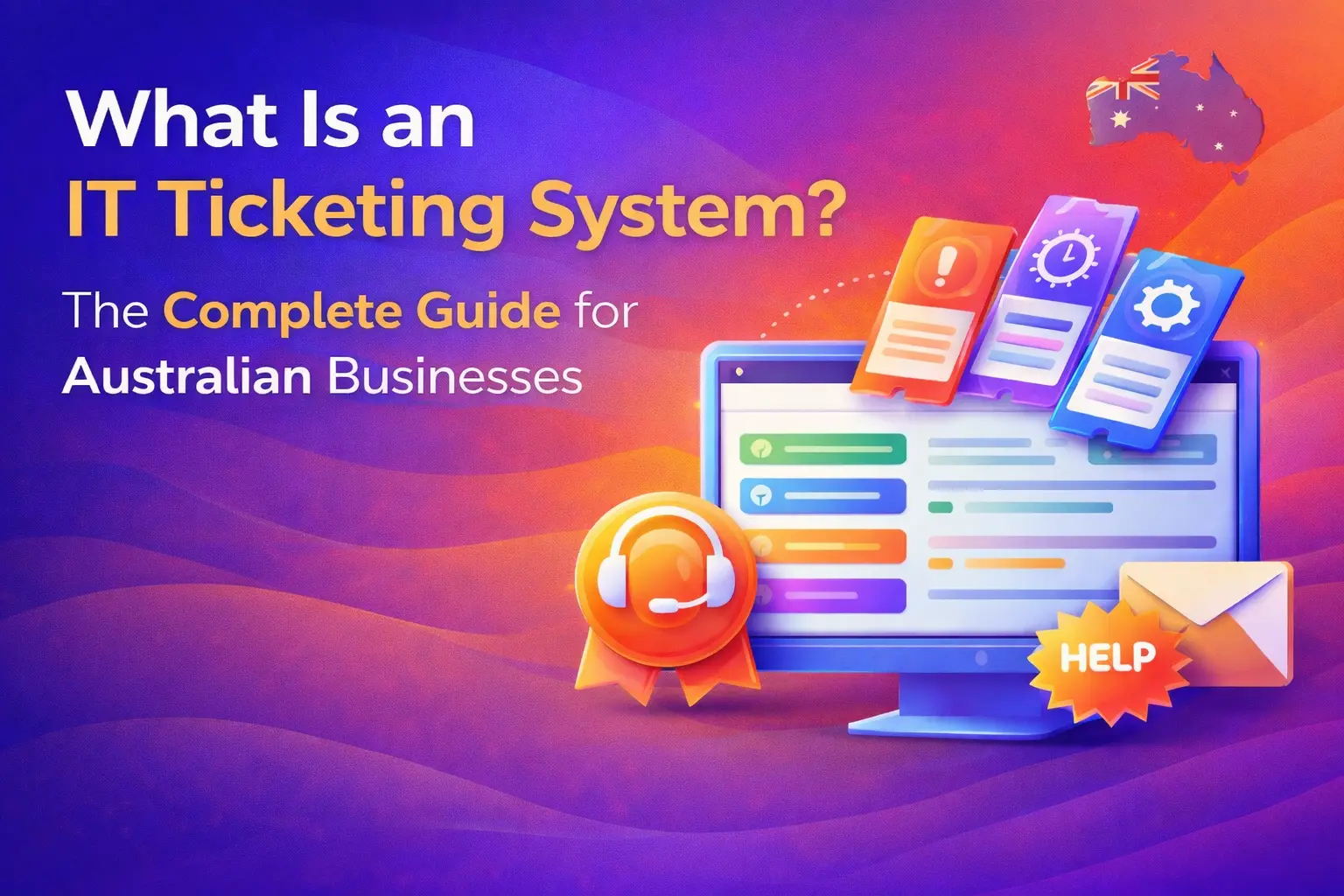
An IT ticketing system is the backbone of any well-run IT support operation. It organises, prioritises, tracks, and resolves every request that comes into your IT team from a forgotten password to a critical server outage. In 2026, with hybrid work environments, rising cyber threats, and increasingly complex IT stacks, having a reliable ticketing system is no longer optional for Australian businesses. It is essential.
At CodeHyper, we work with businesses across Australia to implement and manage IT infrastructure that keeps operations running smoothly. In this guide, we will walk you through everything you need to know about IT ticketing systems ,what they are, how they work, what features matter, and how to choose the right one for your organisation.
What Is an IT Ticketing System?
An IT ticketing system ,also known as a helpdesk ticketing system or IT service desk software ,is a centralised platform that captures, organises, and manages IT support requests and incidents from the moment they are submitted to the moment they are resolved.
When an employee has a problem ,say, their laptop won’t connect to the company VPN ,they submit a request through the ticketing system. That request becomes a “ticket”: a unique, trackable record that contains all the details of the issue, who reported it, when, and what steps were taken to fix it.
Instead of relying on fragmented emails, phone calls, or hallway conversations, everything lives in one place. Every conversation, update, screenshot, and action tied to an issue is stored inside the ticket, giving the IT team full visibility from start to finish.
In simpler terms, a ticketing system transforms IT support from chaos into a structured, measurable, and accountable workflow.
Why Do Australian Businesses Need an IT Ticketing System?
Without a ticketing system, IT support is reactive and disorganised. Requests arrive from multiple directions ,email, phone, Teams messages, walk-ups ,and there is no single source of truth. Some issues get missed, others get duplicated, and priorities are unclear.
For Australian small and medium businesses (SMBs), this creates real operational risk. According to a 2025 HDI study, 87% of businesses saw improved support efficiency after implementing a ticketing system. For businesses navigating increasing cyber threats ,as outlined in our 2025 Cyber Threat Landscape for Australian SMBs article ,having an organised IT support process is directly tied to security resilience.
Here is why a proper IT ticketing system matters:
- Centralised Visibility Every IT request, regardless of how it was submitted, flows into one system. Managers can see workload distribution, backlog, and SLA status at a glance. No more guessing what the team is working on.
- Faster Resolution Times Automated routing sends tickets to the right technician immediately. Priority levels ensure urgent issues like security incidents are addressed before minor requests. Teams using AI-powered ticketing platforms consistently report significantly faster mean time to resolution (MTTR).
- Accountability and Auditability Every action taken on a ticket is logged with a timestamp. This creates a complete audit trail ,invaluable for compliance, especially under frameworks like the Essential Eight or if you are preparing for an audit.
- Reduced Repetitive Work Automation handles routine tasks like ticket categorisation, priority assignment, notifications, and status updates. This frees your IT team to focus on complex problems that actually require human expertise.
- Data-Driven Improvement Reporting and analytics reveal patterns ,recurring issues, bottlenecks, slow-performing teams, or departments with training gaps. This data enables proactive IT management rather than constant firefighting.
- Better End-User Experience Employees get a transparent, self-service experience. They can check the status of their ticket without having to chase anyone. Automated updates keep them informed at every stage.
How Does an IT Ticketing System Work?
Understanding the lifecycle of an IT ticket helps you appreciate the value of the system. Here is how a typical ticket moves from creation to closure:
Step 1: Ticket Submission
A user encounters a problem and submits a request through one of the available channels ,a web portal, email, live chat, phone (logged by a technician), or an automated monitoring alert. The system captures all relevant details: the user’s information, a description of the issue, any attached screenshots or error messages, and the time of submission.
Step 2: Automatic Ticket Generation
The system generates a unique ticket ID (e.g., #INC-4521) and assigns it a category and initial priority based on predefined rules. The user receives an automatic acknowledgement so they know their request has been received.
Step 3: Categorisation and Prioritisation
The system or an AI layer categorises the ticket ,is it a hardware fault, software issue, network problem, or a general service request? Priority is then assigned based on urgency and business impact: Critical, High, Medium, or Low.
Step 4: Routing and Assignment
Based on the category and priority, the ticket is routed to the appropriate team or technician. A password reset might go to a Level 1 support agent. A suspected network breach would be escalated immediately to a senior security engineer.
Step 5: Investigation and Resolution
The assigned technician investigates the issue, communicates with the user through the ticket thread, and works toward a resolution. All updates, notes, and actions are logged in the ticket.
Step 6: Escalation (if required)
If the issue cannot be resolved at the current support tier within the SLA window, the system automatically escalates the ticket to a higher tier. Managers receive alerts to ensure nothing slips through the cracks.
Step 7: Closure and Documentation
Once resolved, the ticket is closed. The technician documents the solution, which may be added to a knowledge base for future reference. Users often receive a satisfaction survey to rate the support experience.
Step 8: Review and Reporting
Closed tickets feed into analytics dashboards. IT managers review metrics like average resolution time, ticket volume trends, SLA compliance rates, and recurring issue types.
Key Features to Look for in an IT Ticketing System
Not all ticketing systems are created equal. When evaluating your options, these are the features that separate a genuinely useful platform from one that creates more work than it saves:
Multi-Channel Ticket Intake
Users should be able to submit requests through email, a self-service web portal, live chat, phone, and even through integrations with tools like Microsoft Teams or Slack. The system consolidates all these channels into one unified inbox.
Automated Routing and Prioritisation
Manually sorting and assigning every ticket is inefficient. Look for systems that use rules-based automation or AI to categorise, prioritise, and route tickets without human intervention.
SLA Management
A Service Level Agreement (SLA) defines the maximum response and resolution time for different ticket types. The system should track tickets against these targets and send alerts when deadlines are at risk, ensuring your team always meets its commitments.
Knowledge Base Integration
A built-in knowledge base lets technicians search for solutions to known issues quickly. It also enables self-service, where users can find answers to common problems without ever raising a ticket ,reducing support volume significantly.
Escalation Workflows
When a ticket exceeds its SLA deadline or requires specialist attention, the system should automatically escalate it to the right person or team. This prevents issues from going cold.
Reporting and Analytics
Real-time dashboards and scheduled reports give managers visibility into team performance, ticket backlogs, resolution times, and recurring issue categories. These insights are essential for continuous improvement.
Asset Management Integration
Enterprise-grade ticketing systems often integrate with IT asset management (ITAM), allowing technicians to see exactly what hardware and software a user has when resolving their ticket ,no back-and-forth gathering of basic information.
AI and Automation (2026 Essential)
In 2026, AI is no longer just a nice-to-have in ticketing systems. Modern platforms use machine learning to suggest solutions, auto-draft replies, summarise long ticket threads, and even autonomously resolve Level 1 issues like password resets ,with no human involvement required.
Security and Compliance
For Australian businesses subject to regulations or following frameworks like the Essential Eight, your ticketing system must offer role-based access controls, data encryption, and audit logs. This is especially important if your tickets contain sensitive employee or customer data.
Types of IT Ticketing Systems
IT ticketing systems come in several flavours, suited to different organisational needs:
Cloud-Based (SaaS) The most common model in 2026. Hosted by the vendor, accessed via browser, and maintained automatically. No servers to manage, fast deployment, and scalable pricing. Ideal for most Australian SMBs. Examples: Freshservice, Zendesk, Zoho Desk.
On-Premise Installed on your own servers. Offers maximum control and data sovereignty ,important for organisations in regulated industries. Requires internal IT resources to maintain. Examples: ManageEngine ServiceDesk Plus (on-prem option), Jira Service Management (self-hosted).
Open-Source Free to download and self-host. Suitable for technical teams with development resources who want full customisation control. The trade-off is that you are responsible for hosting, maintenance, and updates. Example: osTicket.
Enterprise ITSM Platforms Full-suite IT Service Management (ITSM) platforms that go beyond ticketing to include change management, problem management, asset management, and service catalogue. Best for larger organisations with complex, multi-departmental IT operations. Examples: ServiceNow, Ivanti Neurons.
MSP-Integrated Ticketing For businesses that partner with a Managed Service Provider (MSP), ticketing is often integrated directly into the MSP’s Remote Monitoring and Management (RMM) platform. This means your IT partner can see, prioritise, and resolve your tickets without you needing to manage a separate system. This is exactly how our online IT support service at CodeHyper works ,giving clients full visibility into every support interaction.
IT Ticketing System vs. IT Service Desk vs. Help Desk: What’s the Difference?
These three terms are often used interchangeably, but they represent slightly different things:
Help Desk: The traditional first point of contact for IT issues. Focused on reactive support ,answering questions, troubleshooting, and resolving immediate problems. A ticketing system is the software that powers it.
IT Service Desk: A more strategic evolution of the help desk. Aligned with ITIL (Information Technology Infrastructure Library) best practices, it handles not just incidents but also service requests, change requests, and problem management. The ticketing system here is more comprehensive, covering the full ITSM lifecycle.
IT Ticketing System: The software layer that underpins both. It is the tool that captures, organises, routes, and tracks all requests ,whether they come into a help desk or a service desk.
For most Australian SMBs, the practical distinction matters less than choosing a system that fits their scale and workflow. If you are unsure what level of IT support infrastructure your business needs, our IT consulting services team can help you map out the right approach.
IT Ticketing Systems and Cybersecurity: A Critical Intersection
In 2026, the relationship between IT ticketing and cybersecurity has never been closer. Your ticketing system is not just a support tool ,it is also a first responder when security incidents occur.
When an employee reports a suspicious email, notices unusual account activity, or finds their system behaving strangely, that report should immediately trigger a structured incident response workflow. A well-configured ticketing system can:
- Auto-escalate security-related tickets to your security team or SOC with elevated priority
- Integrate with your EDR and SIEM tools so that security alerts automatically generate tickets
- Maintain a full audit trail of every action taken during an incident ,critical for post-incident analysis and regulatory reporting
- Feed into your incident response plan ,as we outlined in our Mastering Incident Response guide
For businesses using Remote Monitoring and Management (RMM) tools, tickets can be generated automatically when monitoring detects anomalies ,before the user even realises something is wrong. This proactive approach is the cornerstone of modern managed IT.
IT Ticketing Best Practices for Australian Businesses in 2026
Having the right tool is only half the battle. How you configure and use your ticketing system determines whether it actually improves your IT operations. Here are the best practices that matter most:
Define Clear SLAs for Every Ticket Category Set realistic response and resolution time targets for different ticket types. A critical server outage warrants a 15-minute response. A routine software installation request can wait a few hours. Make these SLAs visible to both your team and your end-users.
Use Consistent Naming Conventions and Categories Standardise how tickets are categorised. “Outlook not working” and “Email client issue” should resolve to the same category. Consistent taxonomy makes your analytics meaningful and your routing rules reliable.
Build a Knowledge Base from Day One Every ticket that is resolved should contribute to your knowledge base. Over time, this self-service resource reduces ticket volume significantly ,your team stops answering the same questions repeatedly.
Automate Repetitive Level 1 Tasks Password resets, account unlocks, software installations, and similar routine tasks are candidates for full automation. In 2026, AI-driven platforms can handle these without any technician involvement, freeing your team for higher-value work.
Train End-Users on How to Submit Good Tickets A ticket that says “my computer is broken” is hard to prioritise and slow to resolve. Train users to include specific details: what they were doing, what error message appeared, and what they have already tried. Better tickets mean faster resolutions.
Review Your Data Monthly Set aside time each month to review ticket trends. Are the same issues recurring? Is a particular department generating disproportionate ticket volume? Is one technician significantly slower than others? Data drives improvement. This is the essence of proactive IT support vs reactive IT.
Integrate with Your RMM and Security Stack A ticketing system that works in isolation is far less powerful than one connected to your monitoring tools, security stack, and asset management database. Integration creates context ,your technicians arrive at a ticket already knowing what the user’s machine looks like and whether it has been behaving unusually.
Top IT Ticketing Systems to Consider in 2026
Here is a brief overview of the leading platforms on the market, matched to different business needs:
Freshservice ,Best for mid-market IT teams adopting structured ITSM for the first time. Clean interface, strong automation, and good value for money. Freddy AI Copilot is available as an add-on.
ManageEngine ServiceDesk Plus ,Best for ITIL-aligned ITSM with flexible deployment options (cloud, on-prem, or hybrid). Native AI “Zia” is included at no extra cost.
Zendesk ,Excellent for businesses that handle both customer-facing and internal IT support. Highly scalable with strong omnichannel capabilities.
Jira Service Management ,Strong choice for businesses already in the Atlassian ecosystem. Ideal for teams that want close integration between IT support and software development workflows.
ServiceNow ,The gold standard for enterprise ITSM. Best for large organisations with complex, multi-departmental operations and the budget to match.
Zoho Desk ,Affordable, easy to use, and integrates well with other Zoho products. A solid starting point for small businesses. Free plan available for up to three agents.
Helpdesk 365 (Microsoft Teams-native) ,Built on the Microsoft ecosystem, integrating directly with Teams and SharePoint. Excellent for businesses already invested in Microsoft 365.
For many Australian SMBs, the most practical option is to work with a managed IT provider whose own platform includes a built-in ticketing system ,removing the burden of managing the tool yourself. Our managed IT support service gives clients direct access to a structured ticketing workflow, backed by experienced technicians.
How to Choose the Right IT Ticketing System for Your Business
With dozens of platforms available, choosing the right one comes down to a clear evaluation framework:
- Assess Your Team Size and Ticket Volume Small teams with low ticket volume can start with affordable, simple tools. Rapidly growing businesses should prioritise platforms with clear upgrade paths. Large enterprises with complex workflows need enterprise-grade ITSM suites.
- Identify Your Integration Requirements What tools does your ticketing system need to connect with? Microsoft 365? Slack? Your RMM platform? Your security tools? Integrations can make or break day-to-day usability.
- Consider Deployment Preferences Do you need cloud-based simplicity, or do compliance requirements demand on-premise control? Most Australian SMBs are best served by cloud-based SaaS platforms that eliminate maintenance overhead.
- Evaluate AI Capabilities In 2026, AI features are not a luxury. Look for platforms that offer intelligent routing, auto-drafting, ticket summarisation, and ideally autonomous resolution of Level 1 issues.
- Check Security and Compliance Features Role-based access controls, data encryption, audit logs, and compliance certifications (SOC 2, ISO 27001) matter ,particularly if your business handles sensitive data or is working toward frameworks like the Essential Eight.
- Trial Before You Commit Most platforms offer free trials. Test the system with your actual team on real ticket types before making a purchasing decision.
If you would like help assessing which approach is right for your business, get in touch with our team ,we work with Australian businesses of all sizes to implement IT infrastructure that actually works.
The Future of IT Ticketing Systems
The IT ticketing landscape is evolving rapidly. Here is what is shaping the next generation of these platforms:
Agentic AI Resolution The shift from AI “assistants” to AI “agents” is already underway. Rather than simply suggesting solutions, agentic AI platforms autonomously execute resolutions ,resetting passwords, reinstalling software, rerouting network traffic ,without human involvement. This dramatically reduces MTTR and frees technicians for genuinely complex work.
Predictive Ticket Generation Integrated with monitoring tools, next-generation ticketing systems will generate tickets before users even experience a problem ,triggered by anomalies detected in system performance data. This is the evolution of why RMM is important for modern IT operations.
Deeper Omnichannel Integration Microsoft Teams, Slack, and mobile apps are becoming primary support channels. Tickets will be raised, updated, and resolved entirely within the collaboration tools employees already use daily ,removing friction from the support process entirely.
Post-Quantum Security for Ticketing Data As discussed in our post-quantum cybersecurity guide, the data stored in ticketing systems ,including incident details, user credentials, and system configuration notes ,will need to be protected by quantum-resistant encryption standards as quantum computing capabilities advance.
Enhanced Self-Service via AI Chatbots AI-powered self-service portals will resolve an increasing proportion of Level 1 requests autonomously, with users never needing to interact with a human technician. This is already reducing total ticket volume by up to 55% in organisations that have deployed generative AI within their ticketing workflows, according to a 2025 Deloitte report.
IT Ticketing Systems and Managed IT Services: The Best of Both Worlds
For many Australian businesses ,particularly SMBs that don’t have a large internal IT team ,the most effective approach to IT ticketing is not to manage it yourself at all.
A quality Managed IT Services provider (MSP) will include a professional-grade ticketing system as part of their service. This means your IT requests go directly to a team of experienced engineers, are tracked against guaranteed SLAs, and are resolved efficiently ,without you needing to purchase, configure, and maintain a separate platform.
This approach also integrates seamlessly with proactive services like RMM, managed cybersecurity, and IT consulting ,giving you a comprehensive, unified IT support experience rather than a patchwork of disconnected tools.
To explore what a fully managed IT support arrangement looks like for your business, visit CodeHyper or explore our managed cyber security services.
Conclusion
An IT ticketing system is not just a piece of software ,it is the operational foundation of your IT support function. It brings order to chaos, accountability to your team, visibility to management, and a better experience to every employee who needs help.
In 2026, with AI-powered automation, deep integrations, and agentic resolution capabilities, modern ticketing systems are more powerful than ever. Australian businesses that invest in the right IT support infrastructure ,whether through an in-house tool or a managed IT partnership ,will be better positioned to handle the increasingly complex and fast-moving demands of the digital workplace.
Whether you are evaluating your first ticketing system or looking to modernise an existing setup, the team at CodeHyper is here to help. Contact us today to discuss how we can support your business’s IT operations.
FREQUENTLY ASKED QUESTIONS (FAQs)
Q1: What is an IT ticketing system? An IT ticketing system is software that captures, organises, and manages IT support requests ,called “tickets” ,from the moment they are submitted to the moment they are resolved. It gives IT teams a structured, trackable workflow for handling everything from password resets to critical system outages.
Q2: How is an IT ticketing system different from a help desk? A help desk is the function or team that provides IT support. An IT ticketing system is the software tool that the help desk uses to manage and track all support requests. In practice, the two terms are often used interchangeably, but the ticketing system is specifically the technology platform.
Q3: Do small businesses in Australia need an IT ticketing system? Yes. Even businesses with fewer than 20 employees can benefit from a ticketing system. Without one, IT requests get lost in emails, priorities are unclear, and issues take longer to resolve. Many platforms offer affordable or even free plans designed specifically for small business needs.
Q4: What is the difference between cloud-based and on-premise IT ticketing systems? Cloud-based systems are hosted by the vendor, accessible via browser, and require no server management from your side. On-premise systems are installed on your own infrastructure, giving you more control and data sovereignty. Most Australian SMBs opt for cloud-based systems for their simplicity and lower total cost of ownership.
Q5: Can an IT ticketing system help with cybersecurity? Absolutely. When integrated with your security monitoring tools, a ticketing system can automatically generate incident response tickets when threats are detected, maintain a full audit trail of all actions taken, and feed directly into your formal incident response plan.
Q6: What should I look for in an IT ticketing system in 2026? Prioritise multi-channel ticket intake, automated routing and prioritisation, SLA management, knowledge base integration, reporting and analytics, and AI-powered automation. In 2026, native integrations with collaboration tools like Microsoft Teams and Slack, as well as agentic AI for autonomous Level 1 resolution, are increasingly important capabilities.
Q7: How much does an IT ticketing system cost? Costs vary widely. Open-source options like osTicket are free to self-host. Mid-market SaaS platforms like Freshservice and Zoho Desk typically range from $14 to $40 per agent per month. Enterprise platforms like ServiceNow involve significant licensing and implementation investment. Working with a managed IT provider often means the ticketing system is included as part of your monthly service agreement.
Q8: What is an SLA in an IT ticketing system? SLA stands for Service Level Agreement. In the context of ticketing, it defines the maximum time allowed to respond to and resolve a ticket, based on its priority. The ticketing system tracks all tickets against their SLA targets and alerts the team when deadlines are at risk.
Q9: Can an IT ticketing system integrate with Microsoft 365? Yes. Most modern ticketing systems offer integrations with Microsoft 365, including Teams, Outlook, and SharePoint. Platforms like Helpdesk 365 are built natively on the Microsoft ecosystem, offering seamless integration for businesses already invested in Microsoft tools.
Q10: How do I get started with an IT ticketing system for my Australian business? Start by assessing your team size, ticket volume, integration requirements, and budget. Trial two or three platforms before committing. Alternatively, partner with a managed IT services provider who already operates a professional-grade ticketing system, removing the implementation burden entirely. Contact the CodeHyper team to find out what solution is right for you.