Choosing between a softphone and a desk phone is one of the first decisions when setting up a business phone system – and it directly affects cost, flexibility, and how your team communicates every day.
There is no single right answer. The best setup depends on your team structure, how many calls each person handles, and whether staff work from a fixed desk or move around.
This guide gives you a clear, honest comparison so you can make the right call – no pun intended.
Quick Answer: Softphone vs Desk Phone
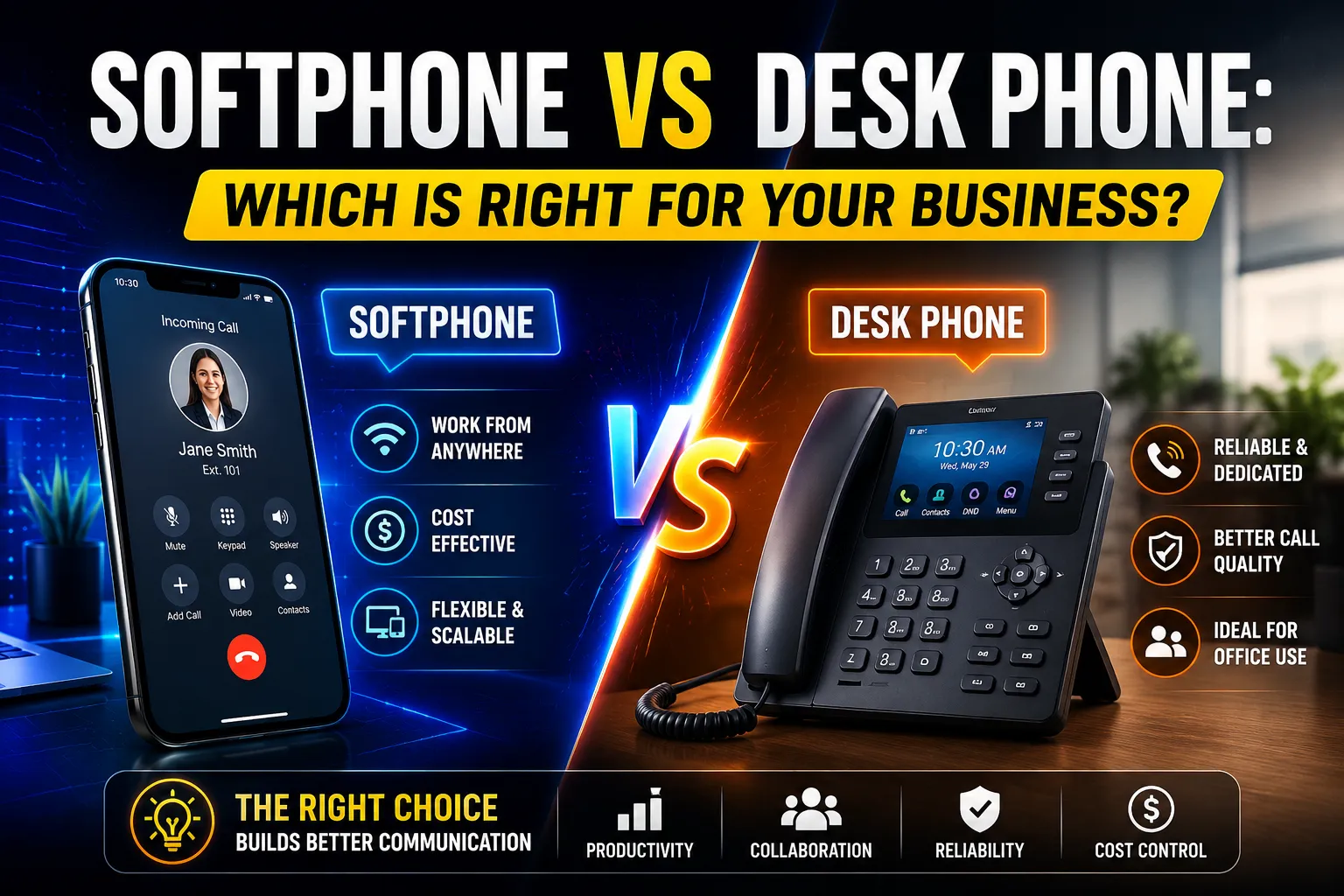
Softphone: An app that turns your computer, laptop, or smartphone into a business phone. No hardware required beyond a headset. Works anywhere with internet.
Desk phone: A physical handset that sits on a desk and connects to your network via Ethernet. Dedicated to voice calls. Most reliable for high-volume reception and front-desk roles.
The real answer for most Australian businesses: Use both. Reception gets desk phones. Office staff, remote workers, and managers use softphones or mobile apps.
What Is a Softphone?
A softphone is a software application that makes and receives voice calls over the internet using VoIP (Voice over IP) technology.
It runs on a device your staff already own – a laptop, desktop, or smartphone – and connects to your hosted business phone system. All the features of a traditional phone system are available: extensions, transfers, hold, voicemail, caller ID, and more.
Where softphones run:
- Windows and macOS laptops and desktops
- iPhones and Android phones (as a mobile app)
- Browser-based (no installation required)
- Microsoft Teams with a calling plan
No hardware to buy. No desk space used. No cables needed.
What Is a Desk Phone?
A desk phone (also called a hard phone or IP phone) is a physical handset that connects to your office network via Ethernet or Wi-Fi and registers with your hosted VoIP phone system.
Modern IP desk phones from brands like Yealink, Poly, and Grandstream support HD audio, programmable buttons, multi-line displays, and Power over Ethernet (PoE) – so they only need a single network cable, no separate power adapter.
What desk phones are best at:
- Fast, reliable call answering
- One-touch transfer, hold, and conference buttons
- Shared areas like reception desks, waiting rooms, and warehouses
- Meeting rooms needing a permanent conference unit
- Staff who prefer a dedicated device separate from their computer
Softphone vs Desk Phone: Side-by-Side Comparison
Softphone | Desk Phone | |
Upfront cost | $0 hardware | $80–$400+ per handset |
Monthly cost | Included in most VoIP plans | Included in most VoIP plans |
Setup time | Minutes (install app) | Requires network port, PoE switch |
Call quality | Excellent with good headset + internet | Excellent (wired, dedicated device) |
Works remotely | Yes – any location with internet | No – desk-bound |
Works during computer outage | No | Yes |
Programmable buttons | On-screen / headset | Physical buttons |
Power required | Uses device battery/power | PoE or power adapter |
CRM integration | Yes – click-to-dial, screen pop | Limited (some models via API) |
Best for | Remote, hybrid, office computer users | Reception, admin, high-call-volume roles |
Cost Comparison: What the Numbers Actually Say
This is where the difference gets real.
Desk phones: A decent business IP handset costs $100–$300 AUD per unit. For a team of 20, that is $2,000–$6,000 upfront – before installation, PoE switch ports, and eventual replacements every 3–5 years.
Softphones: Typically included at no extra cost in a hosted VoIP plan. The only hardware investment is a headset – quality USB or DECT headsets run $50–$150 AUD per person.
According to research by Acrobits, businesses that switch from desk phones to softphones save an average of 45% per month on communication costs.
For a 20-person team over 3 years:
Desk Phones | Softphones | |
Hardware | $4,000–$6,000 | $1,000–$3,000 (headsets only) |
Installation | $500–$1,500 | $0 |
Maintenance | $1,000–$3,000 | $0 |
Estimated 3-year total | $5,500–$10,500 | $1,000–$3,000 |
The savings are significant – especially for growing businesses that add staff regularly.
Call Quality: Which Actually Sounds Better?

Both softphones and desk phones can deliver HD voice quality over a modern VoIP system.
The difference is in reliability, not capability:
Desk phones use a wired Ethernet connection and dedicated audio hardware. They do not compete with other applications for processing power. During a network slowdown, they are more resilient.
Softphones run on a general-purpose computer or phone. They share network bandwidth with video calls, file syncs, and browser tabs. With a good internet connection and a quality headset, call quality is indistinguishable from a desk phone.
The real factor: Internet quality and QoS (Quality of Service) configuration matter more than whether someone uses a softphone or desk phone. A desk phone on a poorly configured network will sound worse than a softphone on a properly configured one.
Headset matters too. A $30 headset paired with a softphone will sound worse than a $120 USB headset. For staff taking many calls per day, invest in a quality headset – Jabra, Sennheiser, and Plantronics (Poly) are the recommended brands for business call centre and office use.
Security: What Most Comparisons Don’t Tell You
Security is rarely mentioned in softphone vs desk phone comparisons. It should be.
Softphone security considerations:
- Softphones on laptops are exposed to the same malware and phishing risks as any software application. A compromised device means a compromised softphone.
- SIP credentials stored in softphone apps can be stolen and used for toll fraud – attackers making thousands of dollars of international calls on your account.
- Softphones accessed over public Wi-Fi without a VPN expose voice traffic to interception.
Desk phone security considerations:
- IP desk phones on unmanaged network segments without VLAN isolation can be targeted directly.
- Older desk phone firmware with unpatched vulnerabilities can be exploited for eavesdropping or toll fraud.
- Physical desk phones are harder to compromise remotely but easier to access physically.
Best practices for both:
- Use a voice VLAN to isolate voice traffic from general data traffic
- Enable SRTP (Secure Real-time Transport Protocol) for encrypted voice calls
- Use strong SIP passwords and rotate them regularly
- Ensure desk phone firmware is kept updated
- Never put softphones on public Wi-Fi without a VPN
For a broader look at how VoIP sits within your network security posture, see our network security services.
Softphone vs Desk Phone: Best Choice by Role
The most important thing to understand: the right answer is different for different people in the same business.
Here is the breakdown by role:
Reception / Front Desk
Best choice: Desk phone
Reception staff need instant call answering, fast transfers, and visibility of who is available. A physical handset with programmable BLF (Busy Lamp Field) keys showing colleague availability is still the gold standard here.
A softphone is usable but adds friction – clicking a screen to answer is slower than picking up a handset when calls are coming in constantly.
Administration and Office Staff
Best choice: Softphone
Admin staff checking CRMs, booking systems, or emails while on a call benefit enormously from keeping everything on one screen. A softphone with click-to-dial from a CRM eliminates manual dialling and logs calls automatically.
Platforms like Salesforce, HubSpot, and Zoho all have native softphone integrations.
Remote and Hybrid Workers
Best choice: Softphone (PC) + Mobile app
A remote worker needs to take business calls without giving out a personal number. A softphone on their laptop keeps them on the business phone system from home. A mobile app keeps them reachable when they step away from the desk.
According to Gallup, 60% of Australian workers with remote-capable jobs are working hybrid in 2025. Softphones are the infrastructure that makes hybrid work telephony function.
Business Owners and Managers
Best choice: Mobile app + softphone
Owners need to stay reachable without being chained to a desk. A mobile app lets them answer business calls from anywhere – without giving customers or suppliers a personal mobile number.
Sales Teams
Best choice: Softphone with CRM integration
Sales staff making 40–80 calls per day need click-to-dial, automatic call logging, and call recording. A softphone integrated with their CRM delivers all of this. A desk phone does not.
Platforms like HubSpot’s VoIP calling and Salesforce Sales Dialer connect directly to hosted phone systems via softphone.
Field and Trade Staff
Best choice: Mobile app
For a plumber, electrician, or site supervisor, a mobile app on their smartphone is the only practical option. Business calls come through on their existing phone – the customer sees the business number, not a personal mobile.
Meeting Rooms
Best choice: Conference desk phone
A meeting room needs a shared, always-available phone that is not tied to one person’s device. A dedicated conference phone (Poly Sync, Yealink CP series) is the right answer here.
What About Microsoft Teams?
If your business uses Microsoft 365, Microsoft Teams is already a softphone.
Teams Phone (calling plan) or Teams Direct Routing turns Teams into a full business phone system – making and receiving calls to external numbers directly from the Teams app on desktop or mobile.
This means your staff are already working in the softphone environment without realising it.
When to add desk phones to a Teams environment:
- Reception desks that need dedicated call handling
- Meeting rooms needing a shared device
- Staff who prefer not to use a headset all day
- Areas where computers are not always available
Teams-certified desk phones from Yealink (T5x series) and Poly (CCX series) register directly with Microsoft Teams – no separate SIP configuration required.
For Teams-specific network optimisation, see our Microsoft Teams services.
Bandwidth and Internet Requirements
Softphones consume internet bandwidth that desk phones do not – because softphones run on the same network as everything else.
Per-call bandwidth requirement:
- A standard VoIP call uses 80–100 Kbps upload and download per simultaneous call
- Microsoft Teams audio uses 20–100 Kbps variable (Opus codec)
- Video calls add 500 Kbps–1.5 Mbps per participant
What this means in practice:
A business with 10 staff on calls simultaneously needs around 1 Mbps of dedicated upload bandwidth for voice alone. On an NBN 100/20 plan, that is very manageable – but only if QoS is properly configured so voice traffic is prioritised over background file sync and video streaming.
Desk phones are less affected by this because they sit on a dedicated voice VLAN and their traffic is not competing with a laptop running Teams, OneDrive sync, and Chrome simultaneously.
Choosing the Right Headset for a Softphone
The headset is the most important accessory for a softphone user – and the most frequently underestimated.
Headset Type | Best For | Approx. Cost |
USB wired | Office desk, all-day calling | $50–$150 |
DECT wireless | Moving around the office | $150–$400 |
Bluetooth | Mixed use, mobile compatibility | $100–$300 |
USB-C | Modern laptops without USB-A | $80–$200 |
For staff on calls for more than two hours a day, a quality headset makes the difference between ear fatigue and a comfortable workday. Recommended options include the Jabra Evolve2 series for office softphone use and the Poly Voyager series for hybrid and mobile workers.
Can One Extension Ring on Multiple Devices?
Yes – and this is one of the most underused features in modern hosted phone systems.
A single extension can ring simultaneously on:
- A desk phone at the office
- A softphone on a laptop
- A mobile app on a smartphone
The user answers on whichever device is closest. Call history, voicemail, and contacts sync across all three.
This is particularly useful for:
- Managers who split time between office and meetings
- Staff who work from home some days and the office on others
- Business owners who need to stay reachable without carrying a desk phone
Our VoIP phone system and hosted PBX services support this multi-device configuration as standard.
Real-World Scenarios: What Setup Works for Each Business Type
Small Accounting Firm – 8 Staff
- 1 reception desk phone
- 6 accountant softphones (PC-based, integrated with practice management software)
- 1 mobile app for the principal partner
- Result: $0 hardware beyond one desk phone, everyone reachable, calls logged in CRM
Trades Business – 3 Office, 8 Field
- 3 office softphones
- 8 mobile apps for field staff
- After-hours routing to on-call mobile app
- Result: Customers call one number, get whoever is available – no personal numbers shared
Medical Clinic – 12 Staff
- 3 reception desk phones
- 4 nurse softphones
- 4 doctor mobile apps for urgent call routing
- 1 conference phone in the meeting room
- Result: Professional call handling, after-hours redirect to triage line
Growing Tech Company – 25 Staff, Hybrid
- 5 reception and admin desk phones
- 20 Microsoft Teams softphone licences
- All staff on mobile app
- CRM integrated with click-to-dial
- Result: No per-user hardware cost for 20 staff, full business phone features
Common Mistakes When Choosing
Buying desk phones for everyone. Hardware costs add up fast. Assess each role before ordering handsets.
Using personal mobiles for business calls. Customers end up with personal numbers. Calls are not logged. Voicemails sit on personal phones. Staff leave and take client contact history with them. A mobile app on the same hosted system solves all of this.
Ignoring headset quality. A bad headset makes a softphone sound terrible. Budget for a decent headset per user.
Not configuring QoS. Softphones on a network without Quality of Service configuration will have choppy calls during busy periods – not because the softphone is inferior, but because voice traffic is competing with everything else for bandwidth.
Not planning after-hours routing. Whether using desk phones or softphones, calls that come in when the office is closed need a destination. Configure after-hours routing before going live – not after the first missed call complaint.
Forgetting about the internet connection. A softphone-only business is entirely dependent on internet quality. Consider your backup plan if the NBN goes down. A 4G/5G router failover or a few mobile app users as fallback is worth planning.
The Environment Angle
One point that rarely gets mentioned: desk phones generate e-waste.
A desk phone that lasts 4–5 years before being replaced creates electronic waste that ends up in landfill. For a 50-person business replacing handsets over a decade, that is 100+ devices.
Softphones run on devices staff already own and replace anyway. When a laptop is upgraded, the softphone moves with it – no extra hardware discarded.
For businesses with sustainability reporting obligations or ESG commitments, this is a genuine consideration.
Softphone vs Desk Phone: Quick Decision Checklist
Choose a desk phone for staff who:
- Work at reception and answer calls constantly
- Need one-touch transfer and hold buttons
- Prefer a dedicated physical device
- Work in a shared area like a warehouse or clinic room
- Are in a meeting room needing a permanent shared phone
Choose a softphone for staff who:
- Work mainly at a computer
- Need CRM click-to-dial and automatic call logging
- Work remotely or in a hybrid arrangement
- Travel between locations with a laptop
- Do not need a physical handset
Choose a mobile app for staff who:
- Work away from a fixed desk
- Are business owners or managers who need flexibility
- Handle urgent or after-hours calls
- Cannot share a personal number with clients
Choose both softphone and mobile app for:
- Hybrid workers
- Managers who need all-day reachability
- Sales staff who work at a computer but also travel
Need Help Choosing the Right Setup?
The right mix of softphones and desk phones is different for every business – it depends on team size, roles, working arrangements, and your existing internet infrastructure.
At CodeHyper, we design, supply, and manage business VoIP phone systems for Australian businesses across Sydney. We handle everything from network and QoS configuration to handset provisioning, softphone deployment, and after-hours call routing.
Contact our team for a no-obligation consultation – or explore our VoIP, hosted PBX, and business internet services to see what is included.
Frequently Asked Questions
What is the main difference between a softphone and a desk phone?
A softphone is a software application that makes and receives calls over the internet using a computer, laptop, or smartphone. A desk phone is a physical handset connected to a network via Ethernet. Both connect to the same hosted VoIP phone system and share the same features – the difference is in the device type. Softphones offer more flexibility and lower hardware cost; desk phones offer a dedicated, reliable physical device suited to high-call-volume roles.
Is call quality better on a desk phone or softphone?
Both can deliver HD voice quality over a modern VoIP system. Desk phones use dedicated hardware and a wired connection, making them slightly more resilient during network congestion. Softphones on a well-configured network with a quality headset are indistinguishable in quality. The single biggest factor in call quality is internet reliability and QoS configuration – not whether the device is physical or software-based.
How much does a softphone cost compared to a desk phone?
Softphones are typically included at no extra cost in a hosted VoIP plan – you only need to budget for a headset ($50–$150 AUD). Desk phones cost $100–$300 AUD per handset, plus installation. According to Acrobits, businesses switching from desk phones to softphones save an average of 45% per month on communication costs.
Can a softphone work on a mobile phone?
Yes. Softphones installed on a smartphone function as a mobile VoIP app. The user makes and receives calls using their business phone number – not their personal mobile number – over a Wi-Fi or mobile data connection. This is the standard setup for remote workers, field staff, and managers who need business call capability away from the office.
Do softphones work during a power outage?
Softphones on a laptop continue working if the laptop battery is charged and the internet connection is still running. Desk phones on PoE switches lose power when the network switch loses power, unless it is on a UPS. In a full power outage affecting both the router and network switch, neither softphones nor desk phones will function unless there is a battery backup or 4G/5G failover connection. Mobile apps on mobile data continue working regardless.
Is a softphone secure for business use?
Yes, when properly configured. Use SIP over TLS for signalling encryption, SRTP for voice encryption, strong SIP passwords, and keep softphone applications updated. Avoid using softphones on public Wi-Fi without a VPN. For desk phones, ensure firmware is current and phones are on an isolated voice VLAN. Both softphones and desk phones face similar threats – toll fraud and eavesdropping – and both require the same basic security hygiene to mitigate them.
What headset do I need for a softphone?
For occasional calls, any USB headset works. For staff on calls for more than two hours a day, invest in a quality business headset. The Jabra Evolve2 30 or 40 (USB, around $80–$130 AUD) is a strong choice for office use. For wireless freedom in the office, the Jabra Evolve2 65 (DECT, around $250 AUD) or Poly Voyager Focus 2 are well regarded. For mobile workers using both laptop and mobile softphones, a Bluetooth headset compatible with both devices provides the most flexibility.
What is the best phone setup for a small Australian business?
For most small Australian businesses, a mixed setup works best: one or two desk phones for reception and admin, softphones on PCs for office staff, and mobile apps for owners, managers, and anyone working remotely or in the field. This approach minimises hardware costs, keeps all staff on the same phone system, and ensures calls are handled professionally regardless of where staff are working. Our VoIP phone system and hosted PBX services are designed around this flexible setup for Australian businesses.