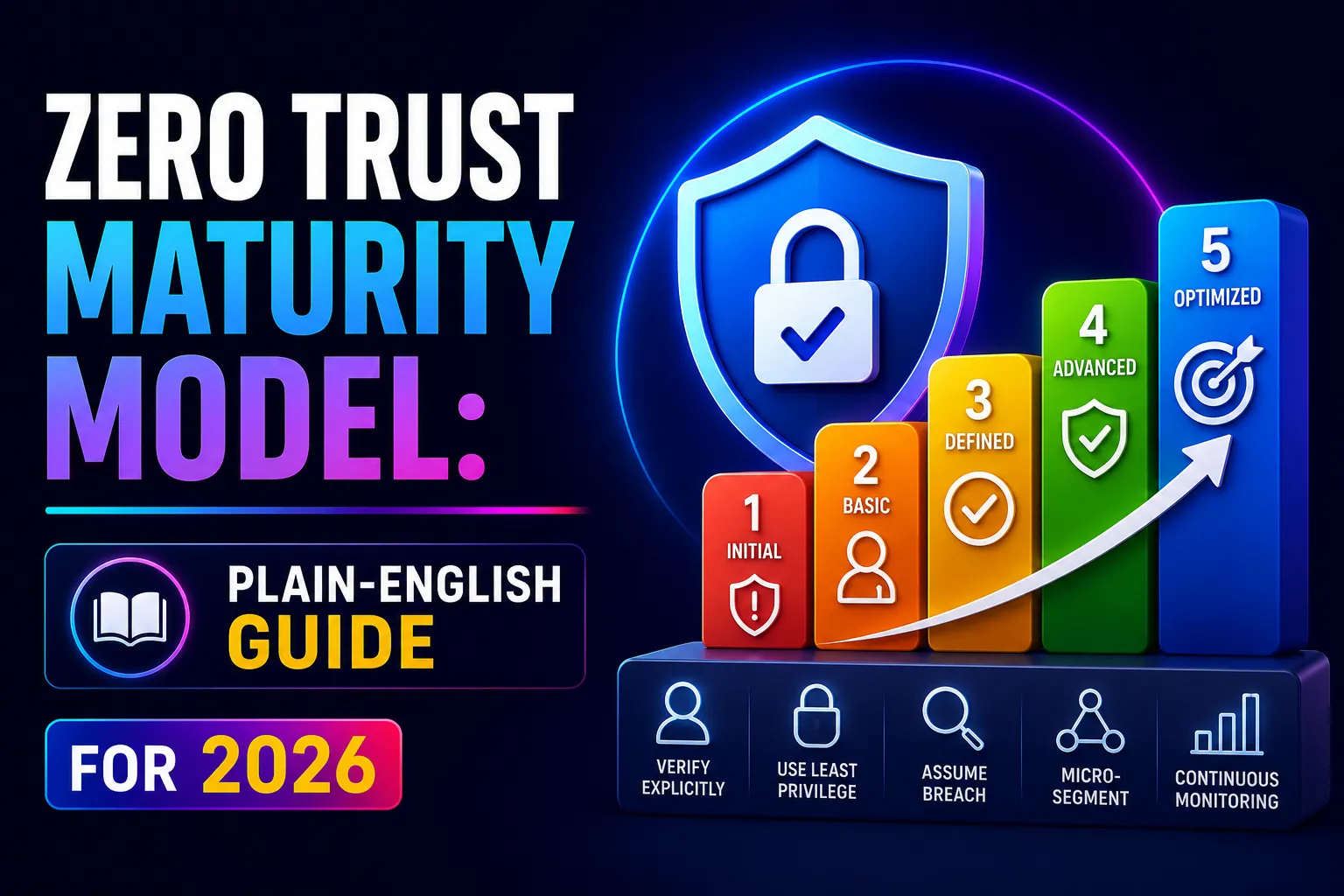
Quick Answer: The Zero Trust Maturity Model (ZTMM) is a roadmap that tells you where your security is today and exactly what to do to make it better. It was created by CISA (the US Cybersecurity and Infrastructure Security Agency) and covers five areas of security – called pillars – each moving through four stages from basic to excellent.
This guide explains every pillar, every stage, and how to figure out where your business sits right now – in plain English.
Key Takeaways
- The CISA Zero Trust Maturity Model v2 has 5 pillars (Identity, Devices, Networks, Applications, Data) and 4 stages (Traditional → Initial → Advanced → Optimal).
- <cite index=”15-1″>Zero Trust means never assuming anyone or anything is safe – every access request is verified, every time, regardless of where it comes from.</cite>
- Most Australian SMBs are at the Traditional stage across most pillars – and moving to Initial is faster and cheaper than most businesses expect.
- The model aligns directly with the ACSC Essential Eight – improving your Zero Trust maturity automatically improves your Essential Eight compliance.
- Identity is the highest-impact pillar to start with. Fixing identity first (MFA, SSO, Conditional Access) delivers the most security improvement per dollar spent.
- You do not need to reach Optimal in every pillar. The goal is continuous, measured improvement – not perfection overnight.
What Is Zero Trust? (Plain English)
Zero Trust is a security approach based on one simple idea: do not trust anyone automatically – not even people inside your own network.
Old security was like a castle. Once you were inside the walls, you were trusted. That worked when everyone worked in the office and everything important was on a physical server down the hall.
It does not work now.
Today, staff work from home, from cafes, from overseas. Files live in the cloud. Apps run on servers you have never seen. An attacker who gets past the front door – through a stolen password, a phishing email, or a compromised laptop – can walk freely through the entire building.
Zero Trust rebuilds the locks on every room, not just the front gate.
The guiding principle is: “Never trust, always verify.”
Every time someone tries to access anything – email, files, apps, systems – the network asks: who are you? What device are you using? Is it safe? Should you have access to this specific thing right now?
It checks. It verifies. Then it decides.
<cite index=”21-1″>NIST SP 800-207 defines Zero Trust as a strategy where no user or asset is implicitly trusted, and access is kept to what is minimally required with legitimacy continuously verified.</cite>
What Is the Zero Trust Maturity Model?
The Zero Trust Maturity Model (ZTMM) is a framework that helps organisations measure how mature their Zero Trust security is – and gives them a clear path to improve it.
Think of it like a fitness assessment. Before you can get fitter, you need to know your current fitness level. The maturity model is that assessment – for your security.
<cite index=”14-1″>CISA published version 2.0 of the Zero Trust Maturity Model to help organisations develop Zero Trust strategies and implementation plans. It covers five pillars and three cross-cutting capabilities, with four stages of maturity within each pillar.</cite>
The model answers four questions:
- Where are we now?
- Where do we want to be?
- What specific things do we need to change?
- How do we measure progress?
It is used by governments, large enterprises, and businesses of all sizes as a roadmap for building better security over time – not all at once.
The Four Maturity Stages Explained Simply
<cite index=”22-1″>Every pillar in the ZTMM moves through four stages: Traditional, Initial, Advanced, and Optimal.</cite>
Here is what each stage actually looks like in practice:
Stage 1: Traditional

This is where most businesses start.
Everything is done manually. Someone sets up a password policy once and rarely reviews it. Access is given broadly – most people can reach most things. Security tools work in isolation; the firewall does not talk to the endpoint security tool.
When something goes wrong, the team finds out manually – often because a user reports a problem.
In plain English: Your security exists but is not connected, not automated, and not continuously checked.
Stage 2: Initial

The business has started making things more deliberate.
Some automation is in place. MFA has been turned on for some users or some apps. There are compliance checks happening – though not everywhere yet. Different tools have started talking to each other in basic ways.
Response to incidents is faster than before, but still partly manual.
In plain English: You have made improvements and some things are more joined up. But there are still big gaps and lots of manual steps.
Stage 3: Advanced
Security is largely automated and centralised.
Access is given based on real-time risk – the system checks who you are, what device you are on, and whether your behaviour seems normal before letting you in. When a risk is detected, the response is largely automatic: block the access, alert the team, isolate the affected device.
Visibility is high. The team can see what is happening across the whole environment.
In plain English: Most security decisions happen automatically based on live signals. The team spends time on real threats, not routine maintenance.
Stage 4: Optimal
This is the gold standard.
Access is dynamic and just-in-time – people only have the permissions they need for the specific task they are doing right now. The moment a task is done, the elevated access disappears. Policies update automatically based on new threat intelligence.
Everything is monitored continuously. Risk is assessed in real time. The system adapts without human intervention.
In plain English: Security is a live, self-adjusting system. It gives exactly the right access to exactly the right people for exactly as long as needed – nothing more.
The Five Pillars of the Zero Trust Maturity Model
<cite index=”15-1″>CISA’s Zero Trust Maturity Model is built on five pillars: Identity, Devices, Networks, Applications and Workloads, and Data.</cite>
Each pillar is a separate area of your security environment that moves through the four stages independently. You might be at Advanced in Identity but Traditional in Data. That is normal – and the model helps you prioritise where to focus.
Pillar 1: Identity
What it covers: Who your users are, how they prove it, and what they are allowed to access.
Identity is the most important pillar to start with. <cite index=”18-1″>61% of data breaches involve compromised credentials</cite> – which means fixing identity directly addresses the most common way attackers get in.
Traditional stage looks like:
- Passwords only (no MFA) for most users
- Basic access controls that were set up once and never reviewed
- No system for checking whether the person logging in is who they say they are
Optimal stage looks like:
- MFA everywhere, including phishing-resistant methods (passkeys, hardware keys) for sensitive accounts
- Real-time risk scoring – if a login looks unusual, access is automatically challenged or blocked
- Just-in-time access – admin privileges only exist for the minutes they are needed, then disappear
- Continuous monitoring of user behaviour (UEBA) to detect anomalies
Where Australian businesses should start:
- Turn on MFA for all users – this single step stops 99.9% of automated account takeover attacks, according to Microsoft
- Implement Conditional Access policies that check device health, location, and sign-in risk before granting access
- Review who has admin access and remove it from anyone who does not need it
For a full guide on managing identity from creation to removal, see our identity lifecycle management guide.
Pillar 2: Devices
What it covers: Every laptop, phone, desktop, and tablet that connects to your systems – and whether those devices are safe to trust.
A user might have perfect credentials. But if they are logging in from a device with outdated software, no antivirus, and no encryption – the device itself is the security gap.
Traditional stage looks like:
- No visibility into whether devices are patched or encrypted
- BYOD (personal devices) with no management at all
- No way to remotely wipe a lost device
Optimal stage looks like:
- Every device checked for health before accessing any resource (compliant devices only)
- Automatic patching enforced – devices that fall behind are automatically blocked
- Lost or stolen devices remotely wiped in minutes
- Continuous device health monitoring – the moment a device becomes unhealthy, access is immediately restricted
Where Australian businesses should start:
- Enrol all devices in Microsoft Intune for centralised management
- Set compliance policies: minimum OS version, BitLocker encryption, EDR active
- Connect Intune compliance to Conditional Access – non-compliant devices cannot access company resources
Our endpoint hardening checklist covers the specific device controls needed to move from Traditional to Advanced.
Pillar 3: Networks
What it covers: How traffic moves around your network – and how to limit the damage if an attacker gets inside.
Old network security put a fence around the outside and trusted everything inside. Zero Trust treats the internal network the same way it treats the internet: with suspicion.
Traditional stage looks like:
- Flat network – once inside, users can reach almost everything
- VPN that gives broad access to the whole network
- No visibility into internal traffic patterns
Optimal stage looks like:
- Microsegmentation – different systems are in separate sections that cannot talk to each other unless specifically permitted
- Zero Trust Network Access (ZTNA) replacing VPNs – users get access to specific apps, not the whole network
- All internal traffic monitored – lateral movement (an attacker moving from one system to another) triggers automatic alerts
Where Australian businesses should start:
- Move remote access from VPN to ZTNA (Microsoft Entra Private Access or similar)
- Identify your most critical systems and segment them away from general network traffic
- Enable network flow logging so you can see what is talking to what
For businesses running Microsoft 365, Microsoft Entra ID and Conditional Access provide the foundation for network-level Zero Trust without replacing your existing infrastructure overnight.
Pillar 4: Applications and Workloads
What it covers: The apps your staff use every day – and whether access to them is controlled, monitored, and secure.
Most businesses have dozens of applications. Some are company-managed. Some are cloud SaaS tools. Some are what we call shadow IT – apps IT does not know about.
Traditional stage looks like:
- Apps accessible from anywhere with just a username and password
- No visibility into who accessed what in which app
- No controls on what users can do inside apps (download, share, export)
Optimal stage looks like:
- Single Sign-On (SSO) connecting all approved apps – one verified login, consistent policy applied everywhere
- Session controls on sensitive apps – block downloading, printing, or copying from unmanaged devices
- Continuous monitoring of app activity – unusual behaviour (mass download, access from new location) triggers alerts
- APIs secured with mutual authentication
Where Australian businesses should start:
- Implement SSO via Microsoft Entra ID – centralises access control across all connected apps
- Enable Microsoft Defender for Cloud Apps (CASB) for visibility into SaaS app activity
- Conduct a shadow IT audit – you cannot secure apps you do not know about
Pillar 5: Data
What it covers: Where your important information lives, who can access it, and whether it is protected if someone unauthorised gets to it.
Data is ultimately what attackers want. The previous four pillars are about stopping attackers from reaching it. This pillar is about protecting the data itself – so that even if an attacker gets through, they cannot read or use what they find.
Traditional stage looks like:
- Files sitting in shared drives with broad access
- No labelling of sensitive information
- No encryption at rest
- No visibility into where sensitive data is
Optimal stage looks like:
- All sensitive data classified and labelled automatically using tools like Microsoft Purview
- Access restricted by label – only authorised people can open documents marked Confidential
- Encryption travels with the data – even if a file is shared with the wrong person, they cannot open it
- Continuous monitoring of where sensitive data is being sent, stored, or accessed
Where Australian businesses should start:
- Enable Microsoft Purview sensitivity labels – classify data as Public, Internal, Confidential, or Highly Confidential
- Apply automatic encryption to Confidential and Highly Confidential content
- Review who has access to your most sensitive SharePoint libraries and file shares
Under the Australian Privacy Act 1988, businesses must take reasonable steps to protect personal information. Data classification and encryption are two of the clearest ways to demonstrate you have done this. Our Microsoft 365 security guide covers Purview configuration for Australian businesses.
The Three Cross-Cutting Capabilities
<cite index=”17-1″>The CISA model identifies three capabilities that weave through all five pillars: Visibility and Analytics, Automation and Orchestration, and Governance.</cite>
Think of these as the glue that holds everything together.
Visibility and Analytics
You cannot protect what you cannot see.
This capability is about having a complete picture of everything happening across your environment – who logged in, what they accessed, what device they used, what was unusual.
For Australian businesses, this means:
- Centralised logging in a SIEM (like Microsoft Sentinel)
- Sign-in logs from Entra ID
- Endpoint telemetry from EDR tools
- Cloud activity logs from Microsoft Defender for Cloud Apps
Our how security monitoring works guide explains exactly how these visibility tools fit together.
Automation and Orchestration
Security teams cannot manually review millions of log events. Automation handles the repetitive tasks so humans can focus on real threats.
At the Traditional stage, everything is manual – a team member has to investigate every alert. At Optimal, the system automatically isolates a compromised device, revokes a user’s sessions, and blocks a malicious IP – all before a human has even read the alert notification.
Governance
<cite index=”17-1″>Governance turns Zero Trust from a technical model into a leadership discipline. It forces conversations about access, control, and risk out of the IT team and into the boardroom where decisions actually belong.</cite>
Governance includes:
- Clear policies for who can access what and under what conditions
- Regular access reviews (are the right people still in the right access groups?)
- Accountability – every system and every dataset has a named owner
- Audit trails that demonstrate compliance to regulators and insurers
Where Does Your Business Sit? A Simple Self-Assessment
Use this to honestly assess your current maturity stage across each pillar.
Answer each question with Yes, Partially, or No.
Identity:
- ☐ MFA is enforced for all users on all company systems
- ☐ Admin accounts are separate from standard user accounts
- ☐ Admin access is reviewed and removed when no longer needed
- ☐ Unusual login attempts (new country, odd time) trigger automatic challenges
Devices:
- ☐ All company devices are enrolled in a device management system
- ☐ Devices must be compliant (patched, encrypted, EDR active) to access company resources
- ☐ Personal devices accessing company data are managed via MAM policies
- ☐ Lost devices can be remotely wiped within minutes
Networks:
- ☐ Remote access is via ZTNA (app-specific) rather than a full VPN
- ☐ Critical systems are on separate network segments from general office traffic
- ☐ Internal network traffic is monitored for unusual patterns
- ☐ Network access is denied by default – only explicitly permitted connections allowed
Applications:
- ☐ All major apps are connected via Single Sign-On
- ☐ You have a full list of every app your staff use (including shadow IT)
- ☐ Session controls restrict downloads from sensitive apps on unmanaged devices
- ☐ App activity is monitored and unusual behaviour generates alerts
Data:
- ☐ Sensitive files and emails are classified with sensitivity labels
- ☐ Confidential data is encrypted – even if shared incorrectly, it cannot be opened
- ☐ Access to sensitive data is restricted to those who need it for their role
- ☐ You know where all personal information is stored and who can access it
Scoring:
- 0–4 Yes answers: Traditional stage – foundational work needed, start with Identity
- 5–9 Yes answers: Initial stage – good progress, focus on filling the biggest gaps
- 10–14 Yes answers: Advanced stage – strong posture, focus on automation and cross-pillar integration
- 15–20 Yes answers: Approaching Optimal – continuous improvement and governance focus
Zero Trust Maturity Model vs ACSC Essential Eight: How They Connect
Australian businesses often ask: do I focus on the Essential Eight or Zero Trust? The answer is both – they reinforce each other.
Essential Eight Control | Zero Trust Pillar | Stage Required |
Multi-factor Authentication | Identity | Advanced (ML2+) |
Restrict Administrative Privileges | Identity | Advanced (ML2+) |
Patch Applications | Devices | Initial (ML1+) |
Patch Operating Systems | Devices | Initial (ML1+) |
Application Control | Applications | Advanced (ML2+) |
User Application Hardening | Applications & Devices | Initial–Advanced |
Configure Microsoft Office Macros | Applications | Initial |
Regular Backups | Data | Initial–Advanced |
In practice: getting to Advanced across the Identity and Devices pillars will take most businesses from Essential Eight Maturity Level 1 to Level 2 automatically.
Our Essential Eight checklist maps every control to specific technical actions.
Zero Trust Maturity Model for Australian SMBs: A Realistic Roadmap
Many guides assume large enterprise budgets and dedicated security teams. Most Australian businesses have neither.
Here is a realistic, cost-effective roadmap for a 20–150 person Australian business using Microsoft 365.
Months 1–2: Identity Foundation (Highest Impact, Lowest Cost)
Everything here is included in Microsoft 365 Business Premium at no extra cost.
- Enable MFA for all users via Microsoft Authenticator (push with number matching)
- Create a Conditional Access policy requiring MFA for all cloud apps
- Enable the “Block Legacy Authentication” Conditional Access policy
- Separate admin accounts from standard accounts
- Review and remove excess admin privileges – only named IT staff need Global Admin
Cost: $0 additional (included in M365 Business Premium) Impact: Stops 99.9% of automated credential attacks immediately
Months 3–4: Device Trust
- Enrol all company devices in Microsoft Intune
- Set compliance policies: BitLocker on, minimum OS version, Defender active
- Connect compliance to Conditional Access – non-compliant devices blocked automatically
- Set up remote wipe for lost/stolen devices
- Enrol BYOD devices in MAM-only policy (access to work apps, no personal data touched)
Cost: Included in M365 Business Premium Impact: Every device is now verified before accessing company data
Months 5–6: Application Visibility
- Connect all major SaaS apps to SSO via Entra ID
- Run a shadow IT audit – find what apps staff are using that IT does not know about
- Enable Microsoft Defender for Cloud Apps (CASB) – starts with monitoring, then enforce policies
- Conduct access reviews – remove access that staff no longer need
Cost: MCAS included in M365 Business Premium Impact: Full visibility into what apps exist and who has access to what
Months 7–9: Data Protection
- Enable Microsoft Purview sensitivity labels (Public / Internal / Confidential / Highly Confidential)
- Apply auto-labelling to emails and files containing personal information, financial data, or legal content
- Enable encryption on Confidential and above
- Review SharePoint and OneDrive sharing permissions – restrict external sharing by default
Cost: Included in M365 Business Premium / E3 Impact: Privacy Act NDB compliance significantly strengthened
Months 10–12: Monitoring and Governance
- Enable Microsoft Sentinel (SIEM) for centralised log collection and alerting
- Set up alert rules for: impossible travel, bulk file download, admin role changes
- Document your access control policies and assign data owners
- Schedule quarterly access reviews (who has access to what)
- Run a penetration test to validate that controls are working
Cost: Sentinel has consumption-based pricing; starts at ~$3–5/day for a small environment Impact: You can now detect threats and demonstrate controls to auditors and insurers
Real-World Example: Zero Trust Maturity in a Sydney Professional Services Firm
A 55-person professional services firm in Sydney had the following starting position:
- Basic passwords for most staff, MFA enabled for 12 IT staff only
- Personal devices used freely with no management
- Shared drives with broad “everyone” access
- No visibility into cloud application usage
- No sensitivity labels on client files
Assessment result: Traditional stage across all five pillars.
Over nine months, working with CodeHyper on a structured roadmap:
Months 1–3: MFA deployed across all 55 users. Conditional Access blocking legacy authentication. Admin accounts separated.
Months 3–6: All devices enrolled in Intune. Compliance policies enforced. Shadow IT audit found 18 unapproved apps – 11 were replaced with approved alternatives, 7 were onboarded to SSO.
Months 6–9: Purview labels applied to client files. SharePoint permissions audited – 34 “everyone” sharing links removed. Microsoft Sentinel enabled with 15 alert rules.
End result after 9 months:
- Essential Eight maturity moved from Level 0 to Level 2
- Cyber insurance premium reduced at renewal
- Insurer satisfied with controls evidence at annual review
- Zero security incidents involving data exposure in the 12 months post-implementation
- Staff reported fewer login friction issues – SSO made daily access easier, not harder
The firm did not need a dedicated security team or a six-figure security budget. They needed a clear roadmap, the right configuration of tools they already owned, and a partner who understood both the technical steps and the Australian compliance context.
Contact our team to discuss a Zero Trust maturity assessment for your organisation.
Common Mistakes When Implementing Zero Trust
Trying to do everything at once. Zero Trust is a journey. Starting with 20 simultaneous projects guarantees none of them are done well. Start with Identity. Do it properly. Then move to Devices.
Treating it as a technology project, not a business one. Zero Trust affects how every person in the business logs in, accesses files, and uses apps. Without explaining why changes are happening, staff will find ways around new controls – and those workarounds become security gaps.
Buying new tools before using what you already have. Most businesses on Microsoft 365 Business Premium already have the tools to reach Advanced maturity in Identity and Devices. The gap is configuration, not capability. Before buying anything new, fully configure what you have.
Optimising for the wrong pillar first. Data classification is important – but it delivers little value if an attacker can still compromise an account with just a password. Identity must come first. The other pillars are significantly less effective if identity is weak.
Forgetting legacy systems. Old applications that cannot support MFA or SSO are real – and they need a plan. Often the answer is isolating them on a separate network segment so they cannot be used as a stepping stone into newer systems.
Related Reading
- Conditional Access Policy Examples – The Identity pillar in practice: 10 specific policies to deploy
- Single Sign-On Implementation Guide – Connecting your apps to the Application pillar
- Endpoint Hardening Checklist – Everything needed to advance the Devices pillar
- Identity Lifecycle Management Process – Managing identity from onboarding to offboarding
- How Security Monitoring Works – Building the Visibility and Analytics cross-cutting capability
- Shadow IT Risks – Why application visibility is essential before implementing Application pillar controls
- Entra ID Explained – Microsoft’s identity platform that underpins all five pillars
- Microsoft 365 Security – Configuring M365 as the foundation of your Zero Trust architecture
- Essential Eight Checklist 2025 – How Zero Trust maturity maps to Essential Eight compliance
- Cyber Risk Management Framework – The governance layer that makes Zero Trust sustainable
Frequently Asked Questions
What is the Zero Trust Maturity Model?
The Zero Trust Maturity Model (ZTMM) is a framework published by CISA (the US Cybersecurity and Infrastructure Security Agency) that helps organisations measure and improve their Zero Trust security. It covers five pillars – Identity, Devices, Networks, Applications and Workloads, and Data – each moving through four maturity stages: Traditional, Initial, Advanced, and Optimal. The model acts as both a diagnostic tool (where are you now?) and a roadmap (what should you do next?). Version 2.0 was published in April 2023 and is the current standard referenced by governments and enterprises worldwide.
What are the five pillars of Zero Trust?
The five pillars of the CISA Zero Trust Maturity Model are: Identity (verifying who users are and managing what they can access), Devices (ensuring every device connecting to your systems is safe and managed), Networks (controlling how traffic moves and limiting an attacker’s ability to move laterally), Applications and Workloads (securing the apps your staff use and the APIs that connect them), and Data (classifying, encrypting, and controlling access to your important information). Each pillar is assessed and improved independently, though they interact and reinforce each other.
What are the four stages of the Zero Trust Maturity Model?
The four stages are Traditional, Initial, Advanced, and Optimal. Traditional is the starting point – manual processes, broad access, little visibility. Initial means some automation and improvements have been made but gaps remain. Advanced means security is largely automated, centralised, and risk-based. Optimal is the highest level – access is just-in-time, policies adapt automatically, and the entire environment is continuously monitored in real time. Most organisations begin at Traditional and should aim to reach at least Advanced across the Identity and Devices pillars as a priority.
What does “never trust, always verify” mean?
It is the core principle of Zero Trust. In traditional security, once someone was inside the corporate network, they were generally trusted to access whatever they needed. “Never trust, always verify” means every access request – even from inside the network, even from a known user, even from a managed device – is checked before being allowed. The check includes: is this the right person? Is this device safe? Is the access appropriate for this role? Is the behaviour normal? Only when all checks pass is access granted – and only to exactly what is needed.
How does the Zero Trust Maturity Model relate to the ACSC Essential Eight?
They are complementary frameworks that reinforce each other. The Essential Eight defines specific technical controls that every Australian business should implement. Zero Trust is the broader philosophy and architecture that those controls contribute to. For example, implementing MFA (Essential Eight) directly advances the Identity pillar of Zero Trust. Restricting admin privileges (Essential Eight) advances both the Identity and Network pillars. Most Australian businesses find that pursuing Zero Trust maturity naturally takes them from Essential Eight Maturity Level 1 to Level 2 – the controls required are largely the same.
Can a small Australian business implement Zero Trust?
Yes – and most already have the tools to start. Microsoft 365 Business Premium includes Microsoft Entra ID, Intune, Defender for Endpoint, Defender for Office 365, and Defender for Cloud Apps – the core platform for implementing Zero Trust across all five pillars. The gap is not usually the tools. It is knowing which settings to configure and in what order. The realistic roadmap in this guide covers how a 20–150 person business can reach Advanced maturity in Identity and Devices within 6 months using tools already included in their Microsoft 365 subscription.
How long does it take to reach Optimal Zero Trust maturity?
Reaching Optimal across all five pillars typically takes 2–4 years for a mid-sized organisation. But the more important question is: how quickly can you get to Advanced in Identity and Devices? That is the work that stops the most common attacks – credential theft, ransomware via compromised endpoints, BEC. With the right guidance and Microsoft 365 Business Premium, most SMBs can reach Advanced in Identity and Devices within 6–9 months. Do not let the distance to Optimal stop you from starting with what matters most.
What are the three cross-cutting capabilities in the ZTMM?
The three cross-cutting capabilities are Visibility and Analytics, Automation and Orchestration, and Governance. Visibility and Analytics means having a clear, real-time picture of everything happening across your environment. Automation and Orchestration means using automated tools to handle security responses – blocking access, isolating devices, revoking sessions – without requiring manual steps for every event. Governance means having clear policies, accountability structures, and audit trails that turn Zero Trust from a technical exercise into a managed business programme. These three capabilities apply across all five pillars and are what allow organisations to maintain and improve their Zero Trust posture over time.
This guide is maintained by the CodeHyper security team and updated to reflect the current CISA Zero Trust Maturity Model v2.0, Microsoft platform capabilities, and Australian compliance requirements. For a Zero Trust maturity assessment or implementation roadmap, contact our team or visit codehyper.com.au.