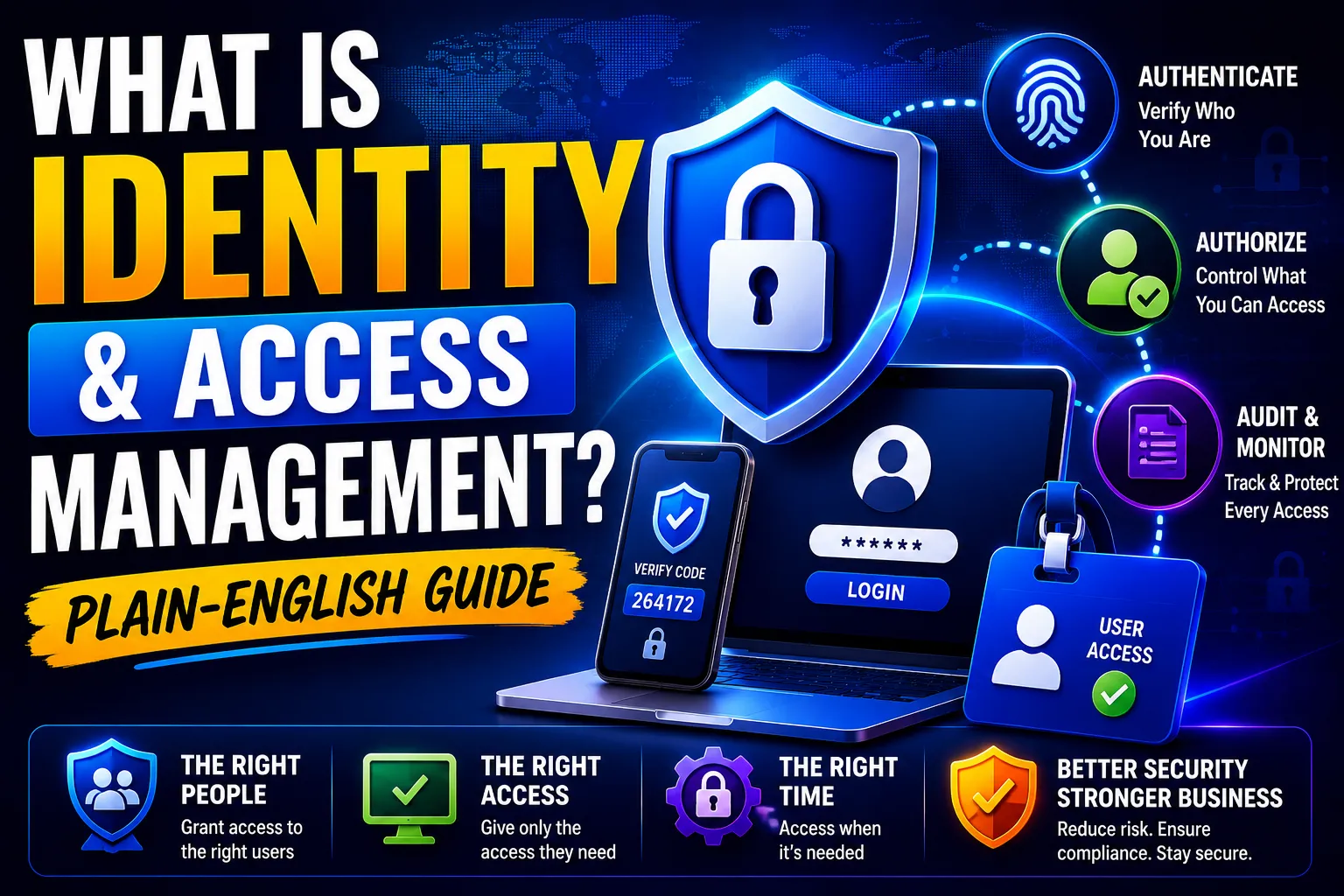
Quick Answer: Identity and Access Management (IAM) is the system that controls who can log in to your business systems and what they can do once they are in. It answers two questions for every user, device, and app in your organisation: Are you who you say you are? And should you be allowed to access this?
Key Takeaways
- IAM stands for Identity and Access Management – the framework that manages who gets access to what in your organisation.
- 61% of all data breaches involve compromised credentials – weak or stolen passwords are the #1 way attackers get in. IAM directly fixes this.
- The core IAM components are: MFA, SSO, RBAC, PAM, and SCIM – each one explained simply below.
- Microsoft Entra ID (formerly Azure Active Directory) is the IAM platform built into Microsoft 365 – most Australian businesses already have it and are not using it fully.
- IAM is a direct requirement for ACSC Essential Eight Maturity Level 2, the Privacy Act NDB scheme, and cyber insurance in Australia.
- IAM is not just a security tool – it also saves time. Automated provisioning and SSO reduce helpdesk calls by up to 50%.
What Is Identity and Access Management - In Plain English?
Think of IAM like the front desk and security badge system in a large office building.
The front desk checks who you are before letting you in (identity). Your security badge determines which floors, rooms, and cupboards you can open once you are inside (access management).
Without a system like this, anyone who walks through the front door can go anywhere. That is exactly what happens in businesses without proper IAM.
Formally defined: IAM is the process of codifying not only users and groups in a system, but also what resources they are each able to access and what functions they are each able to perform.
It covers three things:
- Authentication – proving you are who you say you are (login, MFA)
- Authorisation – determining what you are allowed to access
- Access control – enforcing those rules consistently, every time
Why Does IAM Matter Right Now?
The way people work has changed completely.
Staff now work from home, from cafes, from overseas. They use personal phones and laptops alongside company devices. They log in to dozens of cloud apps using the same password – or variations of it.
Each of these is an opportunity for an attacker.
The average employee uses 191 passwords – and 81% of data breaches are caused by weak, stolen, or reused passwords, according to the Verizon 2025 Data Breach Investigations Report.
The ASD Cyber Threat Report 2024–25 found that credential-based attacks were among the most reported cybercrime types in Australia – and Business Email Compromise, which almost always starts with a stolen password, cost Australian businesses over $152 million in 2024.
IAM is the direct solution to all of this. It makes stolen passwords significantly less useful by adding more verification layers – and limits the damage if an attacker does get in by restricting what any one account can access.
The 5 Core Components of IAM - Each Explained Simply
1. Multi-Factor Authentication (MFA)
What it is: MFA requires users to prove their identity using two or more things – typically a password plus a code from their phone or a fingerprint.
Why it matters: A stolen password alone is not enough to get in. The attacker also needs the second factor – which they almost certainly do not have.
Microsoft’s own data shows that MFA blocks 99.9% of automated account takeover attacks.
In plain English: Your password is one key. MFA adds a deadbolt.
For Australian businesses, MFA is a direct requirement under Essential Eight Maturity Level 1 – the baseline that every organisation should reach. Our conditional access policy examples show how to enforce MFA correctly using Microsoft Entra ID.
2. Single Sign-On (SSO)
What it is: SSO lets users log in once and access all their apps without logging in again to each one.
Why it matters: Without SSO, staff manage separate usernames and passwords for every app – and they reuse simple passwords out of frustration. With SSO, there is one secure login that unlocks everything.
Business benefit: IT spends less time resetting passwords. Staff spend less time logging in. And when an employee leaves, disabling their one SSO account immediately revokes access to every connected app – no manual removal from 15 different tools.
SSO reduces helpdesk password reset calls by up to 50%, according to Gartner.
Our full single sign-on implementation guide walks through SSO deployment step by step using Microsoft Entra ID.
3. Role-Based Access Control (RBAC)
What it is: RBAC assigns access based on a person’s job role – not individually, and not all-or-nothing.
Why it matters: Instead of giving every employee access to everything, RBAC means the sales team can access the CRM, finance can access the accounting system, and HR can access personnel files – but each group only sees what they need.
In plain English: Your security badge opens the rooms your role requires. Not every room in the building.
This directly addresses the principle of least privilege – one of the most important concepts in cybersecurity. Forrester research found that enforcing least privilege reduces insider threat risk by up to 75%.
RBAC is also what powers identity lifecycle management – when someone changes roles, their access automatically updates to match their new position rather than accumulating permissions over time.
4. Privileged Access Management (PAM)
What it is: PAM is a stricter layer of IAM specifically for accounts with admin-level access – IT administrators, database managers, senior executives with financial authority.
Why it matters: Admin accounts are the most targeted accounts in any organisation. An attacker who compromises a regular employee account gets limited access. An attacker who compromises an admin account can access everything, change security settings, disable monitoring, and cause catastrophic damage.
PAM typically works by making admin rights just-in-time – an admin requests elevated access for a specific task, uses it for that task, then the elevated access disappears automatically.
In Microsoft terms: This is Microsoft Entra Privileged Identity Management (PIM). Instead of anyone having permanent Global Admin rights, they activate their admin role when needed – for 1 hour, 4 hours, or 8 hours – then it expires.
Essential Eight alignment: PAM directly satisfies the “Restrict Administrative Privileges” control, required at Maturity Level 1.
5. Automated Provisioning and Deprovisioning (SCIM)
What it is: Provisioning is creating a user account and giving them access when they join. Deprovisioning is removing all access when they leave. SCIM (System for Cross-domain Identity Management) automates both.
Why it matters: When someone joins your business, they need access to email, the CRM, the HR system, and project tools – all set up correctly on day one. When they leave, every single access point must be revoked immediately.
Without automation, offboarding is done manually – and it gets missed. 11% of organisations have experienced a data breach caused by an ex-employee’s account that was never deactivated.
With SCIM, disabling someone in your HR system or Microsoft Entra ID automatically cascades to every connected app in minutes.
Our identity lifecycle management guide covers the full Joiner-Mover-Leaver process including SCIM automation.
IAM vs PAM: What Is the Difference?
This question comes up often – so here is the short answer:
IAM | PAM | |
Who it covers | All users (everyone) | Admin and privileged accounts only |
Focus | Authentication + access control | Protecting high-risk, high-power accounts |
Access model | RBAC – based on role | Just-in-time – activate when needed |
Risk level | Medium | Critical |
Tools | Entra ID, Okta, JumpCloud | Entra PIM, CyberArk, BeyondTrust |
PAM is a specialised, stricter subset of IAM. Most organisations implement IAM first, then add PAM for their highest-risk accounts.
What Does IAM Look Like in a Microsoft 365 Environment?
For the majority of Australian businesses running Microsoft 365, Microsoft Entra ID (formerly Azure Active Directory) is the IAM platform.
It is already included in your subscription. Most businesses are not using it to its full potential.
Here is what Entra ID provides across each IAM component:
- MFA – Microsoft Authenticator, FIDO2 passkeys, SMS (legacy fallback)
- SSO – connects to 3,000+ apps in the Entra App Gallery (Salesforce, Xero, MYOB, Dropbox, Zoom, and more)
- RBAC – role assignments for Microsoft 365 apps and connected SaaS tools
- PAM – Entra Privileged Identity Management (PIM) for just-in-time admin access
- SCIM provisioning – automatic account creation and removal in connected apps
- Conditional Access – policy engine that enforces IAM rules (require MFA, require compliant device, block overseas logins)
Our Entra ID explained guide covers the full platform. For configuration, see our Microsoft 365 security guide.
IAM and Australian Compliance - Why It Is Not Optional
Compliance Requirement | IAM Control That Satisfies It |
Essential Eight – MFA (ML1+) | MFA enforced via Conditional Access |
Essential Eight – Restrict Admin Privileges (ML1+) | RBAC + PAM (Entra PIM) |
Essential Eight – Patch Applications (ML1+) | Device compliance via Intune + Conditional Access |
Privacy Act NDB – Reasonable steps | MFA, SSO, least privilege, audit logs |
Privacy Act NDB – Breach investigation | Sign-in logs and access audit trails |
Cyber insurance 2026 | MFA, LAPS, SSO, PAM – all on insurer questionnaires |
ISO 27001 Annex A.5.18 | Access rights management and review |
APRA CPS 234 | Access controls commensurate with risk |
In plain English: if you do not have IAM properly configured, you are likely failing one or more of these requirements – and you may not know it until you make an insurance claim or face a regulator.
For the full Essential Eight mapping, see our Essential Eight checklist.
What Happens Without IAM? A Real Example
A 40-person accounting firm in Sydney had no formal IAM programme. Staff shared admin passwords for key systems. Remote access was via a VPN with one shared password. Offboarding consisted of a manager’s email to IT – which was often delayed by days.
When a senior accountant left under difficult circumstances, their VPN credentials and cloud access remained active. Six weeks after their departure, those credentials were used to access client financial records – not by the former employee, but by an attacker who had obtained the credentials through a phishing email sent weeks earlier.
The firm could not determine the scope of data accessed. They could not confirm when the breach began. The audit trail was insufficient to support an NDB investigation.
What IAM would have changed:
- SCIM automation would have revoked all access within minutes of the HR offboarding record being updated
- Conditional Access would have blocked the VPN access from an unrecognised device
- Audit logs in Entra ID would have provided a complete access timeline for the NDB assessment
The cost of the incident – legal, regulatory, and reputational – significantly exceeded the cost of implementing IAM.
If this scenario sounds familiar, contact our team for an IAM assessment.
Related Reading
- Identity Lifecycle Management Process – The full Joiner-Mover-Leaver workflow that IAM enables
- What Is Microsoft Entra ID – The IAM platform inside Microsoft 365
- Entra ID Explained – Features, licensing, and configuration
- Entra ID Protection – Risk-based identity protection built into Entra
- Single Sign-On Implementation Guide – Deploying SSO across your app stack
- Conditional Access Policy Examples – 10 policies that enforce IAM rules automatically
- Zero Trust Maturity Model – How IAM fits into the broader Zero Trust architecture
- Essential Eight Checklist 2025 – Where IAM maps to Essential Eight controls
Frequently Asked Questions
What is identity and access management (IAM)?
What is the difference between identity management and access management?
Why is IAM important for cybersecurity?
What is the difference between IAM and PAM?
What IAM tools does Microsoft 365 include?
Is IAM required for cyber insurance in Australia?
How long does it take to implement IAM?
This guide is maintained by the CodeHyper security team. For an IAM assessment or implementation engagement, contact our team or visit codehyper.com.au.