This guide is maintained by the CodeHyper security team and updated to reflect current threat intelligence and Australian compliance requirements. For a phishing risk assessment or security awareness training enquiry, contact our team or visit codehyper.com.au.
Your finance manager gets an email from the CEO at 4:47pm on a Friday.
Subject: Urgent – Supplier Payment Required Before COB
The sender name matches exactly. The email signature looks right. The tone sounds like him. It references the Northside project by name. It asks for a $47,000 transfer to a new account before close of business.
She processes it.
Three hours later, the real CEO calls to ask about weekend plans. The money is gone.
This is spear phishing. It is not the same as the generic bank scam sitting in your spam folder. And the difference between understanding these two attack types – and not understanding them – is the difference between catching it and losing $47,000.
Key Takeaways
- 65% of successful phishing attacks in 2024 were spear phishing – the targeted variant (NordVPN/Lookout, 2025).
- AI-automated spear phishing achieves a 54% click-through rate – matching skilled human attackers at 95% lower cost (Harvard Business Review, 2024).
- BEC caused $2.77 billion in reported US losses in 2024 alone – most starting with spear phishing (FBI IC3).
- Phishing appeared in 60% of incidents reported to ASD’s ACSC in FY2024–25.
- Security awareness training cuts phishing susceptibility from 33% to under 5% in 90 days (KnowBe4, 2025).
- The average phishing breach takes 254 days to identify and contain without proper monitoring.
Quick Answer: What Is the Difference Between Phishing and Spear Phishing?
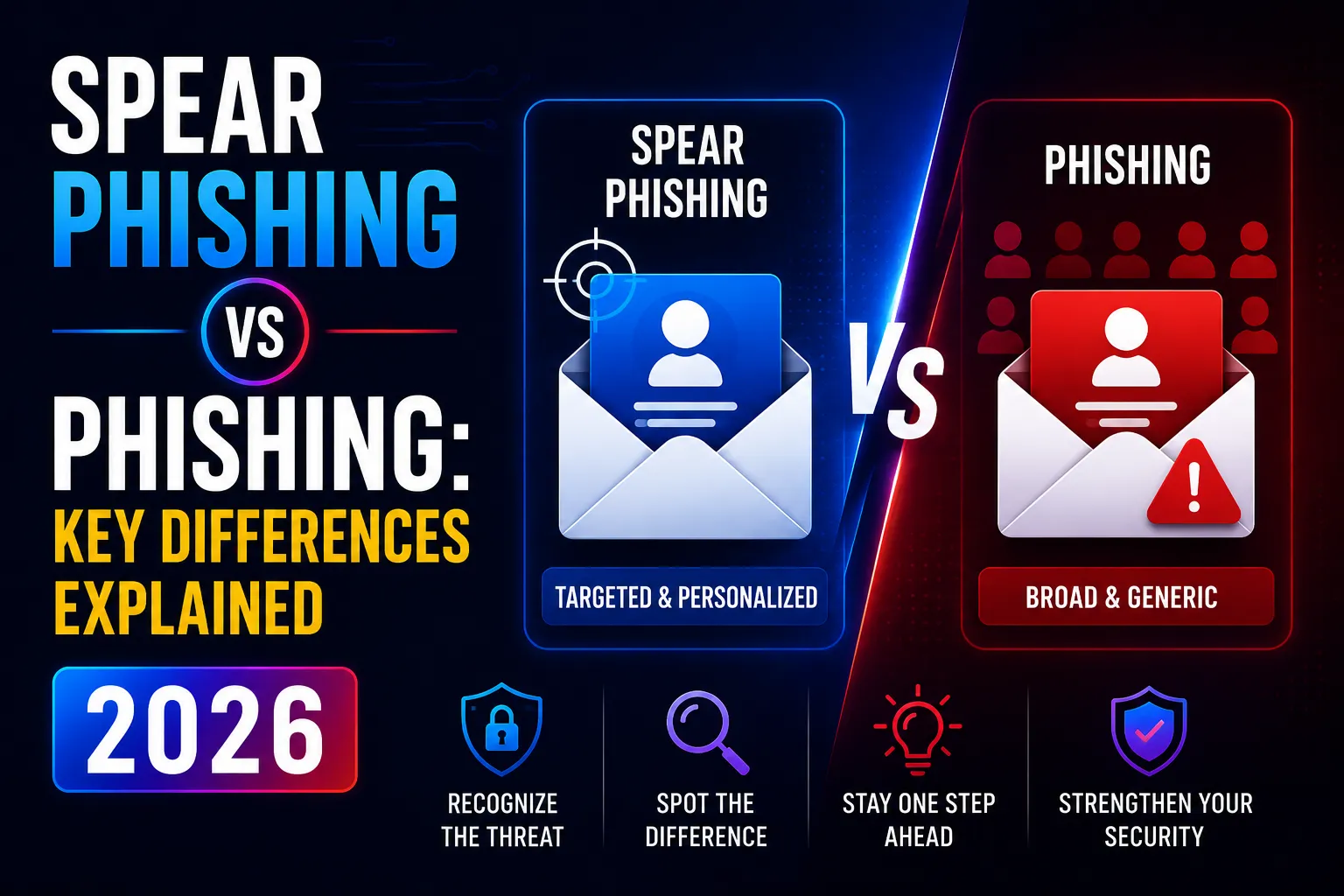
Phishing casts a wide net. One fake email, sent to thousands of random people, hoping a small percentage clicks.
Spear phishing uses a precision spear. One highly personalised email, crafted specifically for one person or organisation, using real names, roles, projects, and relationships.
The goal of both is the same – steal credentials, divert money, or install malware.
The difference is effort, personalisation, and success rate. Spear phishing is harder to catch because it looks exactly like legitimate communication from someone you trust.
What Is Phishing?
Phishing is a cyber attack that uses deceptive emails, texts, or fake websites to trick people into revealing sensitive information or clicking malicious links.
The term comes from “fishing” – attackers bait a hook and cast it across a massive audience, hoping someone bites.
A typical phishing email might:
- Pretend to be Australia Post, warning about an undelivered parcel
- Impersonate your bank, claiming your account is suspended
- Fake a Microsoft 365 password expiry warning
- Appear to come from the ATO requesting overdue payments
These emails go to thousands or millions of people simultaneously. The attacker knows nothing about you. They just need 1–3% of recipients to click.
The volume is staggering. According to CISA, over 90% of cyberattacks globally begin with phishing. Google blocks 100 million phishing emails every day – and 68% of those had never been seen before by any threat intelligence database.
Why Does Most Phishing Get Caught?
Mass phishing tends to include visible warning signs:
- Generic greetings: “Dear Customer” or “Dear Account Holder”
- Spelling mistakes and awkward grammar
- Sender addresses that don’t match the claimed organisation
- Urgent threats with no supporting context
- Links that don’t go where they claim
Your spam filter catches most of these before they reach the inbox. Email authentication protocols – SPF, DKIM, and DMARC – verify whether an email genuinely came from the domain it claims. Together, these controls stop the majority of mass phishing campaigns.
The problem is that spear phishing bypasses most of these defences entirely.
What Is Spear Phishing?
Spear phishing is a targeted phishing attack aimed at a specific individual or organisation, using personalised information gathered through research to make the email appear genuinely legitimate.
Where mass phishing casts a net, spear phishing fires a sniper round.
An attacker targeting your business will:
- Study your website, LinkedIn profiles, and social media
- Identify key staff – finance manager, HR director, CEO
- Map relationships – who reports to whom, who works with which suppliers
- Note recent projects, clients, or public business activities
- Craft an email that references all of this – names, roles, projects, tone
The result is an email that contains no typos, uses your colleague’s real name, references a real project, and arrives at exactly the right moment to trigger action before thinking.
According to NordVPN’s 2026 phishing research, 65% of successful phishing attacks in 2024 were spear phishing. Attackers use it because it works far better than mass campaigns – despite requiring more preparation.
Spear Phishing vs Phishing: Side-by-Side Comparison
Mass Phishing | Spear Phishing | |
Target | Thousands of random people | One person or organisation |
Personalisation | Generic (“Dear Customer”) | Specific (name, role, project, colleague) |
Research required | None | Days of profiling the target |
Email quality | Often contains errors | Polished, matches real communication |
Volume per campaign | Millions of emails | Often a single email |
Success rate | 1–3% click rate | 54% click rate (AI-generated) |
Spam filter evasion | Caught by most filters | Often bypasses automated defences |
Primary goal | Credential theft at scale | Wire fraud, data theft, ransomware access |
Common variant | Generic credential harvest | BEC, CEO fraud, payroll diversion |
Detection difficulty | Moderate – visible red flags | High – may contain no red flags at all |
The Five Attack Patterns Australian Businesses Face Most
These are not hypothetical. They are the scenarios the ASD Cyber Threat Report 2024–25 identifies as driving the majority of BEC and phishing incidents in Australia.
1. CEO Fraud (Business Email Compromise)
An email appears to come from your managing director, asking finance to urgently transfer funds – for a confidential acquisition, a supplier payment, or a staffing matter.
The timing is deliberate. Late Friday afternoon. The real CEO is travelling. The request emphasises urgency and confidentiality: “Do not discuss this with anyone.”
Why it works: Finance staff want to be helpful. The instruction sounds plausible. The urgency discourages verification. One phone call to the CEO’s known number would have stopped it – but the email specifically discourages that.
2. Supplier Invoice Fraud
A real supplier’s email is compromised. The attacker monitors communications for weeks – learning projects, quotes, payment schedules.
Then they send an invoice. Same format as always. Correct project name. Correct amount. Different bank account details, buried in the body of the email.
Why it works: Everything looks right. The invoice comes from the real email address. The amount matches expectations. Only the bank account is wrong – and that change is easy to miss.
3. Payroll Diversion
Your HR manager receives an email from an employee, explaining they have recently changed banks and need payroll details updated before the next pay cycle.
The email includes the employee’s name, position, and start date – details the attacker found on LinkedIn.
Why it works: The request seems routine. Staff change banks regularly. The email sounds exactly like something an employee would write.
4. Microsoft 365 Credential Harvest
You receive an email warning that your Microsoft 365 mailbox storage has reached its limit. Your actual email address is in the subject line. The email references your correct storage tier.
You click to increase storage. A convincing Microsoft login page appears. You enter your credentials. The attacker now controls your email account.
Why it works: The personalisation – your correct email address, your actual storage plan – eliminates the obvious red flags that would usually identify a phishing attempt. Once the attacker has your M365 credentials, they access email, files, and every connected application.
5. Document Sharing Trap
A colleague appears to share a OneDrive or SharePoint file. The file name references a real current project. You click to view it.
A login prompt appears. You enter your credentials. The attacker now has access to your entire cloud environment.
Why it works: Shared document notifications are so common in modern workplaces that clicking them is instinctive. The file name reference makes it feel legitimate.
What Is Whaling? (And Where Does It Fit?)
Whaling is spear phishing that specifically targets senior executives – CEOs, CFOs, board members, and C-suite leaders.
The same principles apply, but the stakes are higher because executives have financial authority, access to sensitive data, and the ability to instruct others to take actions.
A successful whaling attack against a CFO can authorise million-dollar wire transfers. Against a CEO, it can expose board communications, M&A negotiations, or strategic plans.
Executives are also often less security-aware than technical staff – and their status means subordinates are less likely to question their requests.
In Australia: The ASD Cyber Threat Report 2024–25 recorded a 138% increase in total financial losses from BEC targeting large businesses in FY2024–25. Whaling is a significant driver of this increase.
The AI Phishing Revolution: Why 2026 Is Different
This is the single most important development in phishing since email was invented.
AI has eliminated the barriers that used to make spear phishing labour-intensive.
Previously, a credible spear phishing email required an attacker to:
- Research the target organisation manually
- Write personalised content in the correct tone
- Avoid the grammatical errors that gave mass phishing away
- Create a plausible pretext
This took hours. AI now does it in seconds.
The numbers are stark:
- Harvard Business Review (2024) found that AI-automated spear phishing achieves a 54% click-through rate – matching skilled human attackers – while reducing campaign costs by 95%+
- 82.6% of phishing emails detected between September 2024 and February 2025 utilised AI (Keepnet/VIPRE, 2025)
- 40% of BEC emails in Q2 2024 were identified as AI-crafted
- ASD’s 2023–24 Cyber Threat Report explicitly warned that AI allows attackers to “generate spear phishing content more efficiently and on a larger scale” – targeting that previously required state-sponsored resources is now accessible to low-capability attackers
What AI-Generated Phishing Looks Like
An attacker prompts an AI with: “Write a professional email from a CFO to a finance manager requesting urgent payment of $43,000 to a new supplier, referencing the Northside development project and creating urgency due to a contract deadline.”
The AI produces a polished, contextually appropriate email in seconds.
The defender receives an email with no spelling errors, plausible business context, correct professional tone, and a convincing pretext. Traditional detection methods – looking for poor grammar and generic greetings – offer zero protection.
AiTM: When MFA Is Not Enough
A critical 2025 development: adversary-in-the-middle (AiTM) attacks that bypass multi-factor authentication.
AiTM phishing works by positioning a malicious proxy between the victim and a real Microsoft 365 or Google Workspace login page. When the victim completes MFA, the attacker’s proxy captures the session cookie – the authentication token that proves the user has already logged in.
With that session cookie, the attacker bypasses MFA entirely. No password needed. No second factor needed.
AiTM attacks surged 146% in 2024 (Zensec, 2026 phishing statistics). This is why MFA alone is no longer sufficient – and why phishing-resistant MFA (FIDO2/passkeys) matters.
Beyond Email: Other Phishing Variants You Need to Know
The attacker’s toolkit has expanded well beyond email.
Vishing (Voice Phishing)
A phone call impersonating your bank, the ATO, Microsoft support, or a colleague. Vishing attacks on professionals rose 28% in 2024.
The deepfake variant – using AI-generated voice cloning to impersonate a known executive – is now documented in real Australian incidents. The ASD’s 2023–24 report noted an international case where an employee was convinced to transfer millions of dollars via a deepfake video call impersonating a CFO.
Smishing (SMS Phishing)
Fraudulent text messages impersonating Australia Post, Services Australia, Linkt toll notices, or financial institutions. Smishing attacks rose 22% in 2024.
Quishing (QR Code Phishing)
Malicious QR codes embedded in emails that bypass traditional link-scanning filters (because the malicious URL exists inside an image, not as text). QR code phishing increased 400% between 2023 and 2025 (Abnormal Security).
Microsoft Teams and Collaboration Platform Phishing
Attackers are now targeting Teams, Slack, and other collaboration platforms – sending malicious links through channels and direct messages that bypass email security entirely. This became a significant attack vector in 2025.
Red Flags: How to Tell the Difference
Print this. Put it above your desk.
Red Flags in Mass Phishing
- Generic greeting (“Dear Customer”, “Dear Account Holder”)
- Sender address does not match the claimed organisation
- Spelling errors or unnatural phrasing
- Suspicious link destination (hover to check before clicking)
- Asks for password, credit card, or personal details directly
- Unexpected attachment from an unknown sender
- Threats about account suspension or legal action
Red Flags in Spear Phishing
These are subtler – which is why they cause more damage.
- Urgency with a request for secrecy: “Urgent – please don’t discuss with anyone”
- Pressure to act before end of business day or before a named executive returns
- Request to change payment details for a known supplier
- Unexpected request involving money from any direction, even if the sender looks right
- Login prompt that was not expected – especially for Microsoft 365 or any cloud platform
- Sender email address that looks almost right – one character different, an extra word, a different TLD
- QR code in an unexpected email – scan with a QR preview tool, not the default camera app
- A request that bypasses normal process – “just this once” or “this needs to be done differently”
How to Defend Against Both: A Layered Approach
No single control stops all phishing. The defences that work are layered – each one catches what the others miss.
Layer 1: Email Security Gateway
An email security gateway scans every inbound email before it reaches the inbox – checking sender reputation, scanning attachments in a sandbox, analysing link destinations, and applying machine learning to identify phishing patterns.
For Microsoft 365 environments, Microsoft Defender for Office 365 (Plan 1 included in Business Premium) provides Safe Links and Safe Attachments. Safe Links rewrites every URL and checks the destination at click time – so even if a link was benign when the email arrived, it is checked again when the user actually clicks.
Configure DMARC (not just SPF and DKIM) on your domain. SPF and DKIM authenticate emails. DMARC tells receiving mail servers what to do with emails that fail authentication: quarantine them or reject them.
Our email security guide and email spoofing prevention cover the full configuration for Australian businesses.
Layer 2: Phishing-Resistant MFA
Standard MFA – push notifications and TOTP codes – can be bypassed by AiTM attacks.
For executive and finance staff who are the primary targets of spear phishing: deploy FIDO2 passkeys or hardware security keys (YubiKey, Windows Hello for Business). These are phishing-resistant because the authentication is cryptographically bound to the legitimate domain – a fake login page simply cannot complete the authentication.
Configure Conditional Access policies to require phishing-resistant MFA for all privileged accounts and for any account with financial authority.
Layer 3: Security Awareness Training With Phishing Simulation
This is the most underinvested defence – and the data is compelling.
KnowBe4’s 2025 Phishing By Industry Report found that 33.1% of employees click phishing links at baseline before any training. After 90 days of training with simulated phishing: under 5%. After a sustained programme: as low as 2.6%.
Effective training is not an annual slide deck. It includes:
- Monthly simulated phishing emails that mimic current attack patterns
- Immediate feedback when someone clicks – “You just clicked a simulated phishing link. Here is what you missed.”
- Brief, focused lessons (2–3 minutes) not hour-long compliance modules
- Scenario-specific training for high-risk roles (finance, HR, executives)
Our security awareness training covers phishing simulation and staff education for Australian businesses.
Layer 4: Payment Verification Procedures
Technology cannot stop CEO fraud if a finance manager calls the supplier’s number listed in a fraudulent email.
Process matters as much as technology. Implement mandatory verbal verification for:
- Any payment above a defined threshold (e.g., $5,000)
- Any change to supplier banking details – ever, without exception
- Any payment request that bypasses the standard approval workflow
- Any request that emphasises urgency or secrecy
Call the requester on a known phone number – not a number provided in the same email. This one procedure stops the majority of BEC attacks.
Layer 5: Email Security Monitoring
Configure alerts for:
- External email forwarding rules created in any mailbox (a common BEC attacker move – they set up forwarding to monitor communications)
- Mass email deletion or movement
- Impossible travel sign-ins (login from Sydney, then Melbourne 10 minutes later)
- Mailbox access from an unusual location or device
Our mailbox auditing guide covers the specific Exchange Online audit configurations that catch these patterns.
Layer 6: Dark Web Monitoring
Spear phishing attackers research their targets. Your staff email addresses, LinkedIn profiles, and company information are all publicly available.
But sometimes attackers have more: credentials from previous breaches. If your staff are reusing passwords from a breached service, that credential gives an attacker a ready-made starting point.
Dark web monitoring alerts you when your business credentials appear in breach databases – before an attacker uses them.
What to Do If Someone Clicks
Speed matters. Every minute of delay increases the damage.
Immediate actions (within the first 15 minutes):
- Do not close the browser or email – the incident response team needs to see what happened
- Tell your IT team or managed service provider immediately – not at end of day
- Disconnect the device from the network if malware may have been installed (Ethernet cable out, Wi-Fi off)
- Do NOT attempt to “fix” it yourself
Your IT team or MSP should:
- Revoke all active Microsoft 365 sessions for the affected account
- Reset the account password immediately
- Check for new inbox rules (forwarding, deletion) created in the last 24 hours
- Review audit logs for data access or download since the click
- Check whether credentials were used to access any other systems
- Determine whether any personal data was exposed – this starts the NDB assessment clock
If money was transferred:
- Contact your bank immediately – there is a narrow window to recall a wire transfer
- Contact the AFP’s Australian Cyber Security Centre and report the incident
- Document everything – the email, the payment record, the timeline
Under the Privacy Act 1988 Notifiable Data Breaches scheme, if personal information was accessed in the incident, you may have a notification obligation to the OAIC within 30 days.
Real-World Outcome: What Catching a Spear Phish Looks Like
A professional services business in Sydney received a spear phishing email targeting their senior accounts manager.
The email appeared to come from a major client, referencing a real pending invoice by name and amount, and asking the accounts manager to update payment details “per the new banking arrangement.”
The email contained no spelling errors. The sender name was correct. The tone matched the client’s communication style precisely.
The accounts manager noticed one thing: the sender domain was @client-name.invoices.net rather than @clientname.com.au.
She forwarded it to IT before responding.
The investigation found it was an adversarial domain registered two days earlier. The email had been sent to three people at the firm. None of the others had noticed the domain discrepancy.
What prevented the fraud:
- Security awareness training had specifically covered sender domain verification three weeks earlier
- The accounts manager had been taught to hover over sender names to reveal the actual email address
- The firm had a verification policy requiring a phone call before changing payment details
What would have happened without training: The invoice amount was $84,500. With no verification procedure and no training, the probability of this succeeding was very high.
For businesses looking to protect against this exact scenario, our email security services and security awareness training combine to address both the technical and human layers. Contact our team to discuss your current exposure.
How Phishing Defence Maps to Australian Compliance
Defence | Essential Eight | Privacy Act NDB | Cyber Insurance | ISO 27001 |
Email security gateway (DMARC/Safe Links) | User Application Hardening ML2+ | Reasonable steps | Required | A.8.23 |
Phishing-resistant MFA | MFA ML2+ | Reduces breach probability | Explicitly asked | A.8.5 |
Security awareness training | User Application Hardening | Reasonable steps | Recommended | A.6.3 |
Payment verification procedures | – | Fraud prevention | Recommended | A.5.19 |
Mailbox audit logging | Logging ML2+ | NDB investigation evidence | Required | A.8.15 |
Conditional Access (impossible travel) | Restrict Admin, MFA | Early detection | Yes | A.8.16 |
Dark web monitoring | – | Proactive credential protection | Yes | A.5.7 |
For the full Essential Eight compliance picture, see our Essential Eight checklist.
Related Reading
- Email Spoofing Prevention – Configuring DMARC, DKIM, and SPF to authenticate your domain
- Email Security Guide – Full email security strategy for Australian businesses
- What Is Email Security Gateway – How email filters work and what they catch
- Security Awareness Training – Building the human layer of phishing defence
- Mailbox Auditing in Exchange Online – Detecting BEC attacker activity in M365 mailboxes
- Conditional Access Policy Examples – Blocking phishing-enabled credential attacks
- Dark Web Monitoring – Finding your credentials before attackers use them
- Mastering Incident Response – What to do after someone clicks
- Valentine’s Day Cybersecurity – Social engineering attacks that exploit personal contexts
- Anthony Albanese AI Scam – Deepfake and AI impersonation in Australian scams
Frequently Asked Questions
What is the difference between phishing and spear phishing?
Phishing sends identical emails to thousands of random people – a wide net hoping a small percentage clicks. Spear phishing targets a specific person or organisation with a personalised email using real names, roles, projects, and relationships gathered through research. Spear phishing is far more convincing because it looks exactly like legitimate communication from someone the target knows. According to NordVPN’s 2026 research, 65% of successful phishing attacks in 2024 were spear phishing – the targeted variant.
What is an example of a spear phishing attack?
A finance manager receives an email that appears to come from the CEO, referencing a real upcoming supplier payment by name and amount, and requesting the transfer be processed before close of business due to a confidential acquisition. The email contains no errors, uses the CEO’s real name and signature, and arrives on a Friday afternoon while the CEO is travelling. There is no way to confirm the request before the payment deadline. This is CEO fraud – the most common form of spear phishing in Australian businesses.
Can spear phishing bypass MFA?
Yes – through adversary-in-the-middle (AiTM) phishing. AiTM attacks position a proxy between the victim and a legitimate login page. When the victim completes MFA, the proxy captures the session cookie – the token that proves authentication. The attacker uses this cookie to access the account without needing the password or MFA code. AiTM attacks surged 146% in 2024. The defence is phishing-resistant MFA – FIDO2 passkeys or hardware security keys – which cryptographically bind authentication to the legitimate domain, making AiTM impossible.
How does AI make phishing more dangerous?
AI eliminates the barriers that previously made spear phishing labour-intensive. AI can research a target organisation, generate a personalised email in the correct tone with no grammatical errors, and create a plausible business pretext in seconds – at 95%+ lower cost than a human attacker. Harvard Business Review (2024) found AI-automated spear phishing achieves a 54% click-through rate, matching skilled human attackers. The traditional red flags – poor grammar, generic greetings, misspellings – no longer reliably identify AI-generated phishing emails.
What is the difference between spear phishing and whaling?
Spear phishing targets any specific individual. Whaling is a subset of spear phishing that targets senior executives specifically – CEOs, CFOs, board members. Whaling attacks focus on executives because they have financial authority, access to sensitive data, and the ability to instruct subordinates to take urgent actions. The ASD Cyber Threat Report 2024–25 recorded a 138% increase in BEC financial losses for large Australian businesses, driven significantly by whaling attacks targeting executive accounts.
How effective is security awareness training against phishing?
Very effective when done correctly. KnowBe4’s 2025 Phishing By Industry Report found that 33.1% of employees click phishing links before any training. After 90 days of training that includes simulated phishing emails, that figure drops to under 5%. After a sustained programme, it can reach as low as 2.6%. Effective training uses monthly simulated phishing – not annual slide decks – with immediate feedback when staff click. The simulations should mirror real attack patterns, including AI-generated content and domain impersonation.
What should I do immediately if someone clicks a phishing link?
Act in the first 15 minutes. Do not close the browser or email – your IT team needs to see what happened. Disconnect the device from the network if malware may have been installed. Contact your IT team or MSP immediately. They need to revoke all active M365 sessions for the affected account, reset the password, check for new inbox rules, review audit logs for data access, and assess whether personal information was accessed. If money was transferred, call your bank immediately – there is a short window to recall a wire transfer. Report the incident to the ACSC via cyber.gov.au.
Is DMARC enough to stop spear phishing?
DMARC protects your domain from being spoofed in emails sent to others. If an attacker tries to send an email that appears to come from yourbusiness.com.au, a properly configured DMARC policy tells the receiving mail server to reject or quarantine it. DMARC does not protect against lookalike domains (yourbuslness.com.au), compromised legitimate accounts, or emails that come from domains where the attacker has set up SPF and DKIM legitimately. DMARC is an essential control – but it is one layer, not a complete solution. It must be combined with email security gateways, MFA, and staff training.